

Use System-Managed Scheduling across mats
Use System Managed when every division runs in one shared session and you want Snapdown to balance the work across your mats. It is the default for a new tournament. One button builds the brackets, numbers the bouts, fills the queues, and loads the mats.
If a division needs its own mats, a separate session, dual-tournament brackets, or an order you set yourself, use Director Managed instead. See Plan your tournament schedule and Create a director-managed tournament flow and finals rules.
Publish the first schedule
Section titled “Publish the first schedule”Set up the event’s mats and create your brackets first. You don’t need to build the brackets; the card tells you they’ll be built when you publish.
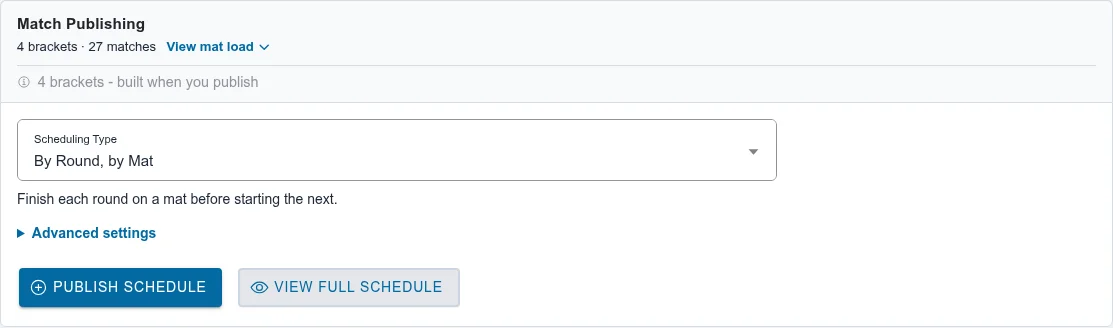
- Open Match Publishing.
- Choose a Scheduling Type (below). To start numbering on a different mat, open Advanced settings and pick the Starting Mat.
- Optional: choose View mat load to see how many bouts each mat gets.
- Choose View Full Schedule to check the order, mat by mat and round by round.
- Choose Publish Schedule. There is no second confirmation. When it finishes, the card says Schedule is up to date.
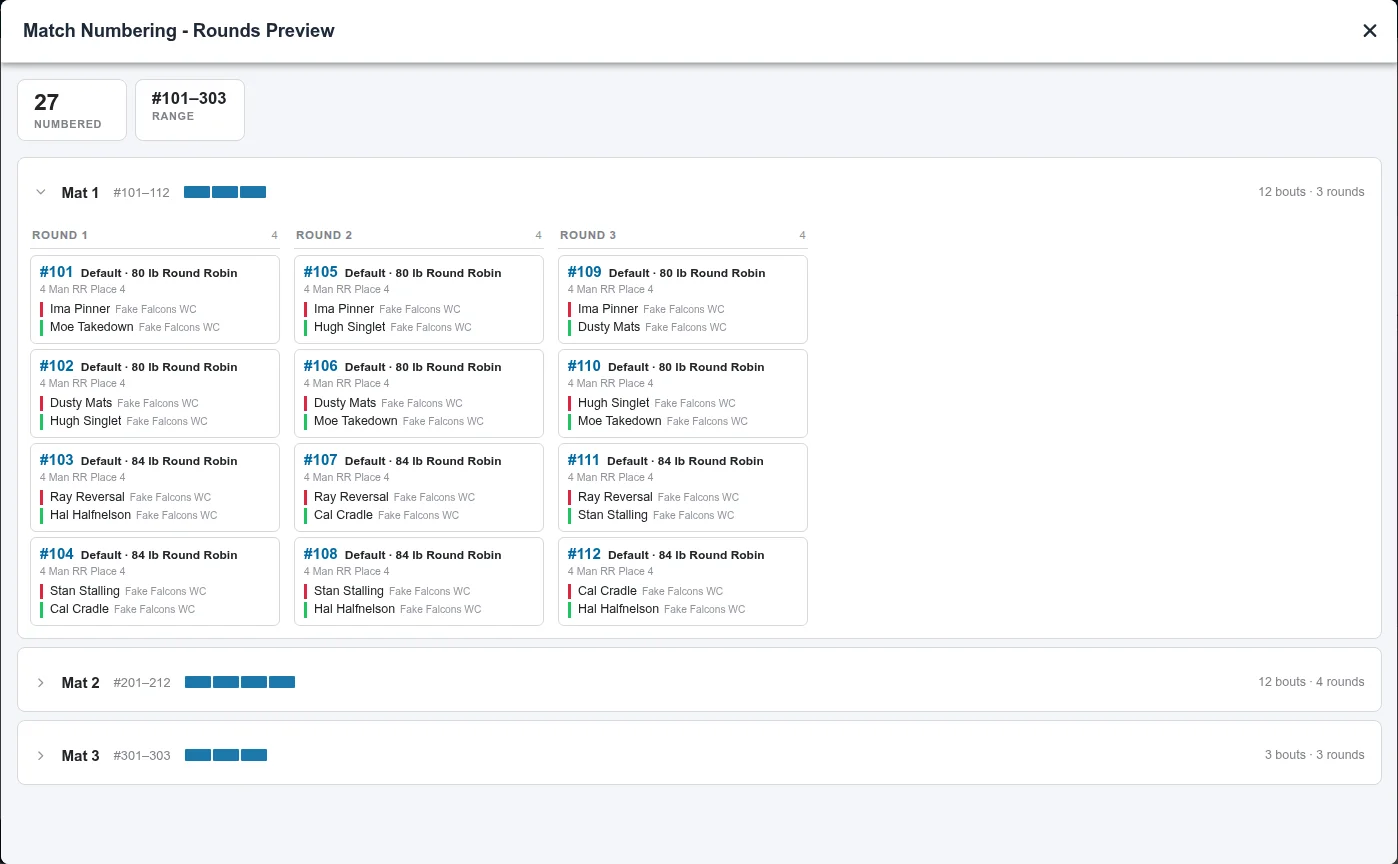
Each mat gets its own number range: Mat 1 starts at 101, Mat 2 at 201, Mat 3 at 301. A mat with more than 100 bouts gets a larger range. The mats are loaded right away, so open the Mat Control Center to watch them.
Scheduling types
Section titled “Scheduling types”| Scheduling Type | How the mats run |
|---|---|
| By Round, by Mat | The default. Each mat finishes a round before starting the next. |
| Bracket Clusters, by Mat | Each bracket stays on one mat, and each mat works through a few brackets at a time, avoiding back-to-back rounds for the same bracket. |
| Tournament Queue (Pull On Demand) | Bouts don’t get a mat when you publish. Each mat pulls the next bouts as it needs them. Best for Scramble Pairings. |
Keep a bracket on a particular mat
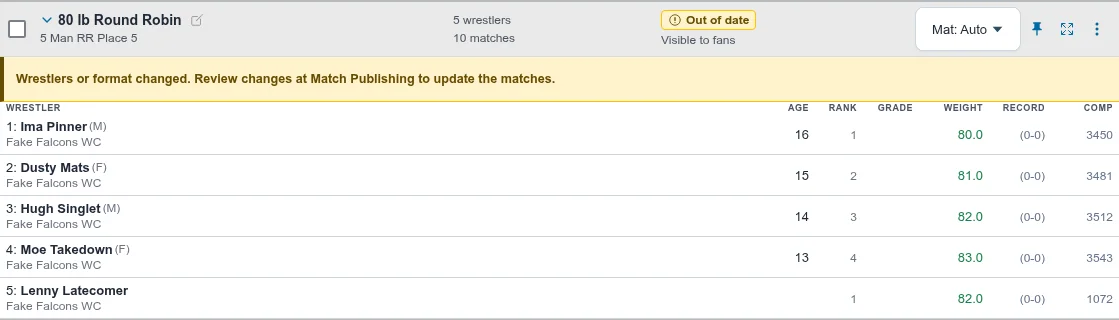
Section titled “Keep a bracket on a particular mat”On Brackets, each bracket has a Mat button, set to Mat: Auto by default. Choose a mat to place that bracket there first; Snapdown balances everything else around it.
Publish changes after the first publish
Section titled “Publish changes after the first publish”Make the change on Brackets: add a late wrestler, move a wrestler, or change a bracket. The bracket shows Out of date with the note “Wrestlers or format changed. Review changes at Match Publishing to update the matches.” The mats keep running the old version until you publish.
- Open Match Publishing. The card lists the brackets modified since publish.
- Choose Review changes….
- Read the Review schedule changes list. For each changed bracket it shows every bout’s number, the wrestlers, and whether the bout is new, removed, or was numbered differently (was 102).
- Choose Build & publish.
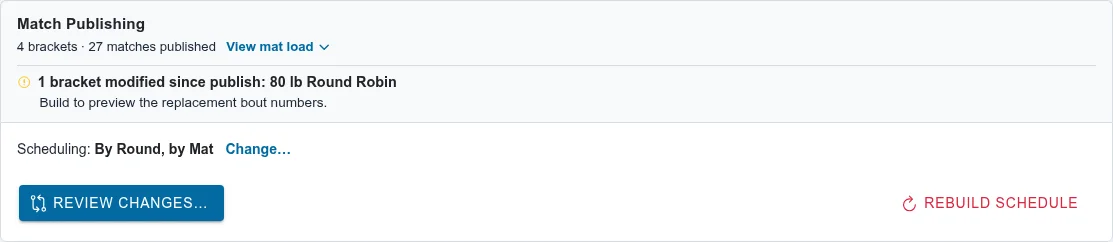
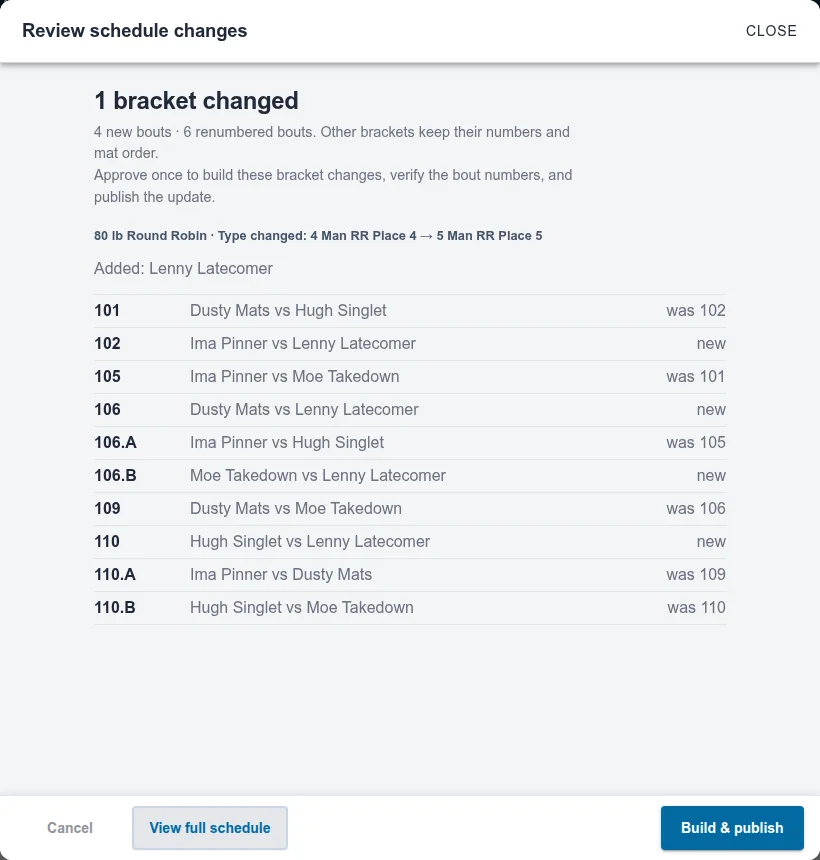
Other brackets keep their numbers and mat order. The changed bracket’s bouts are renumbered to fit back into the running order, which is why you may see numbers like 106.A. See How do I change brackets after publishing matches? for the details.
A bracket with a bout on a mat can’t publish until that bout finishes. The review lists it under brackets that can’t publish yet.
Rebuild the whole schedule
Section titled “Rebuild the whole schedule”To change the Scheduling Type or Starting Mat, or to start over, choose Change… next to Scheduling on the Match Publishing card. The card switches to Rebuild schedule; choose Rebuild Schedule, then Rebuild & Publish.
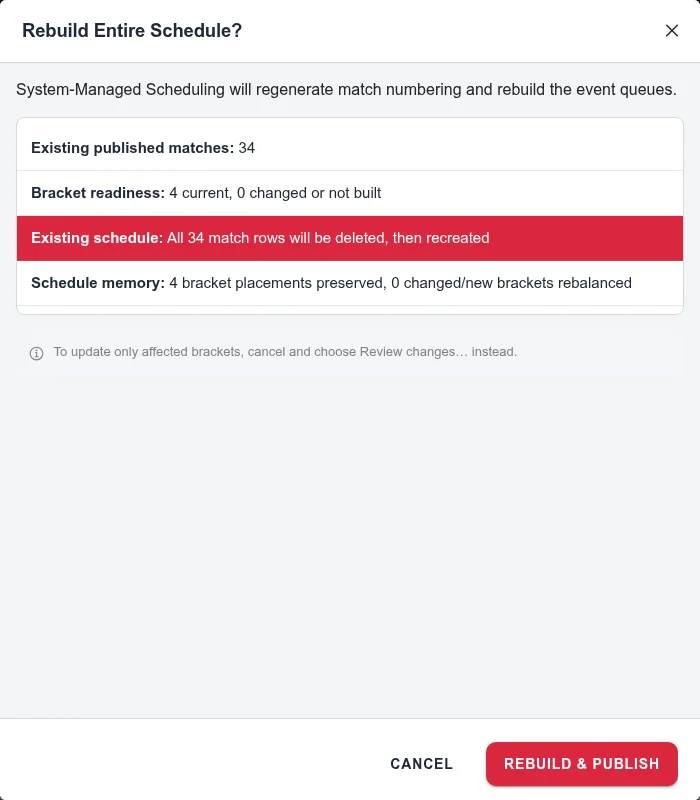
A rebuild deletes every match and creates the schedule again from the current brackets: new bout numbers, new queues, reloaded mats. Every printed bracket needs reprinting; see Reprint after bout numbers change. If any bout has been wrestled or is in progress, you must type DELETE to confirm, and those results are deleted.
For anything smaller, choose Review changes instead.
Also covers: assign brackets to mats · bout numbers · put matches on the mats · publish the schedule · renumber bouts