

How do I add a late wrestler after publishing?
A late wrestler takes three steps: get them on the roster with a recorded weight, put them in a bracket, then publish the change. Every other bracket keeps its bout numbers and mat spots.
1. Add and weigh in the wrestler
Section titled “1. Add and weigh in the wrestler”If the wrestler isn’t on the roster yet, open Roster and choose Add wrestler. Fill in the form, including their team; if the team isn’t on the event yet, add it right there with New Team. Leave the division on By division rules to let Snapdown place them, or pick one. If they fall outside that division’s age, grade, or gender rules, Snapdown asks before saving; choose Enter anyway if that’s on purpose.
With individual registration on, that form makes a manual registration, and it goes straight onto the roster. A family’s late online registration is different: bring it across with Update Roster first. If the wrestler was scratched and turns up after all, undo the scratch instead of adding them again; on Weigh-ins, tapping them offers Undo & Weigh In.
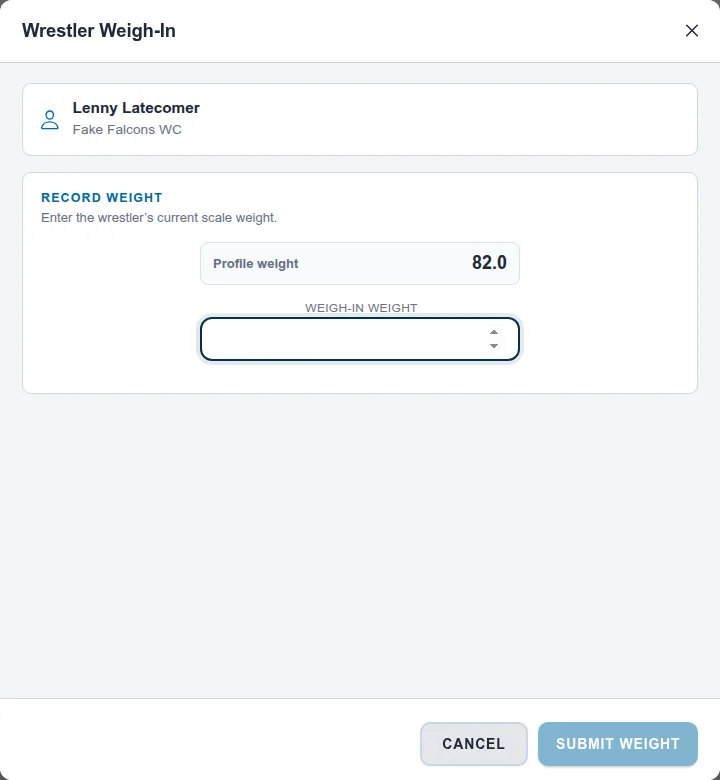
The weight on that form is only a profile weight. The wrestler won’t show up for bracketing until they’re weighed in:
- Open Weigh-ins and select the wrestler.
- Enter their scale weight under Weigh-In Weight and choose Submit Weight.
2. Put them in a bracket
Section titled “2. Put them in a bracket”- Open Brackets. The wrestler is listed under Unassigned Wrestlers.
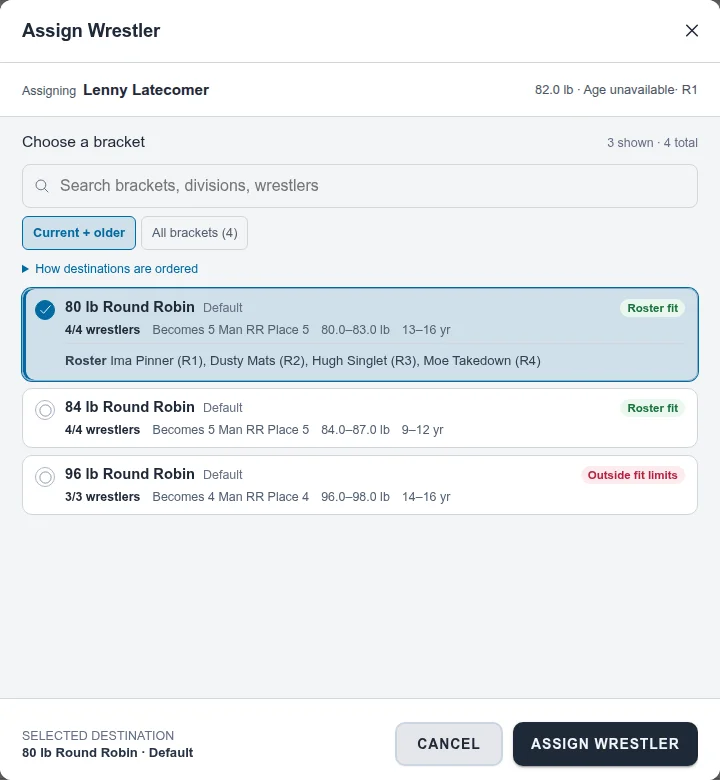
- Open the wrestler’s ⋮ menu and choose Assign to bracket….
- Choose a bracket. Each one shows how many wrestlers it has, what format it becomes with the new wrestler (for example, Becomes 5 Man RR Place 5), and whether the wrestler fits its weight and age range. Current + older shows the closest matches; All brackets shows every bracket.
- Choose Assign Wrestler, then Continue Anyway to confirm you’re changing a published bracket.
The bracket now shows Out of date. Return to Match Publishing to review and apply the change before its bouts are called.
3. Publish the change
Section titled “3. Publish the change”System Managed:
- Open Match Publishing and choose Review changes….
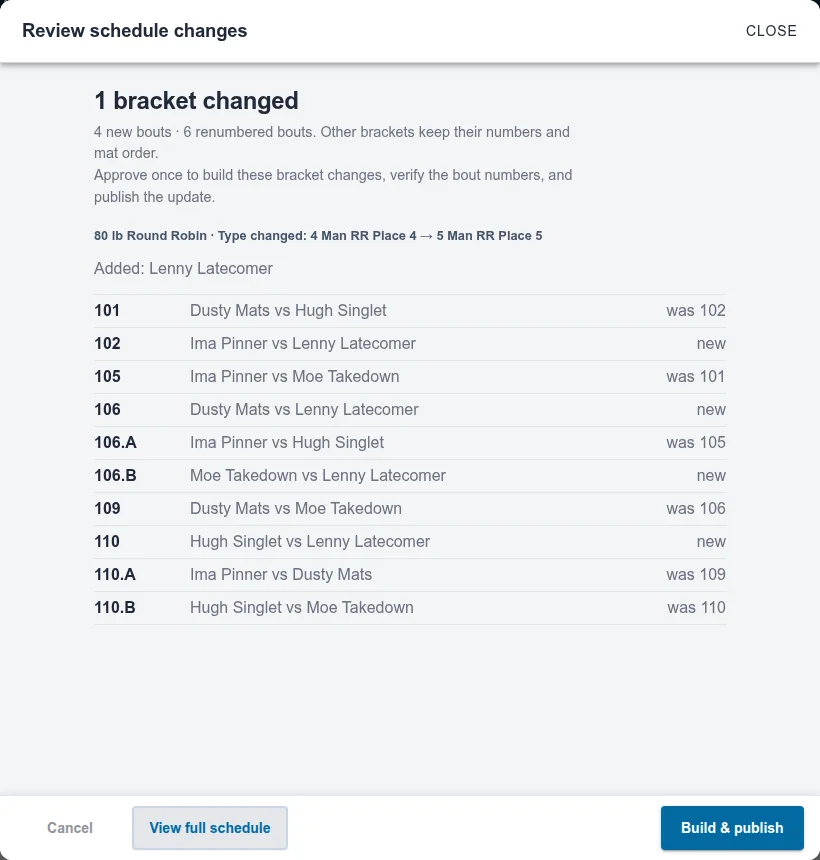
- The Review schedule changes list shows the bracket’s new type, who was added, and every bout with its number: new, or was its old number.
- Choose Build & publish.
Director Managed: return to Match Publishing and choose Run… on the affected plan, or Update & run… on its rule. Run updates the bracket for you. Check Bout numbers and Mats, leave Renumber everything off, and use Keep what’s waiting; add new bouts on the intended mats. Press the button at the bottom to save and load the repaired queue. You can also use Build updates on Brackets first, then run the rule.
A structural bracket update stays saved if you cancel Run, and its old numbers and queue spots have been cleared. Finish Run to put those bouts back into the schedule.
What happens to bout numbers
Section titled “What happens to bout numbers”Filling an existing bye keeps that bout’s number. If the bracket grows and needs a different set of bouts or rounds, only that bracket’s unwrestled bouts are renumbered to fit back into the running order: they reuse the bracket’s numbers and take lettered numbers, like 106.A, to fit between other brackets’ bouts. Bouts that already started or finished never change. If the bracket was printed, the confirmation lists it under Reprint.
If the right bracket has already started
Section titled “If the right bracket has already started”Growing a bracket that has an active or finished bout is not a routine fix. Put the late wrestler in an untouched bracket, make a new bracket from untouched wrestlers, or add an exhibition match instead.
To start a new bracket, create it on Brackets, then use Assign to bracket… or Move to another bracket… to fill it. A brand-new bracket is numbered after the existing bouts.
See How do I change brackets after publishing matches? for the full rules.
Also covers: saved schedule