

Run a 16-team dual tournament with pools
This guide runs one complete dual tournament: 16 high school teams in four pools of four, feeding four-team placement brackets. Every team wrestles five duals. It follows the same steps as the video below, starting from a blank event.
Prefer to watch on YouTube? Build and run a dual-pool tournament.
The plan for the day:
| Stage | Duals | Mats |
|---|---|---|
| Pools A–D, three rounds each | 24 | Pool A on Mats 1–2, B on 3–4, C on 5–6, D on 7–8 |
| Placement semifinals | 8 | All 8 mats |
| Placements (1st–16th) | 8 | All 8 mats |
1. Set up the event for duals
Section titled “1. Set up the event for duals”On the event home page, under Competition Setup:
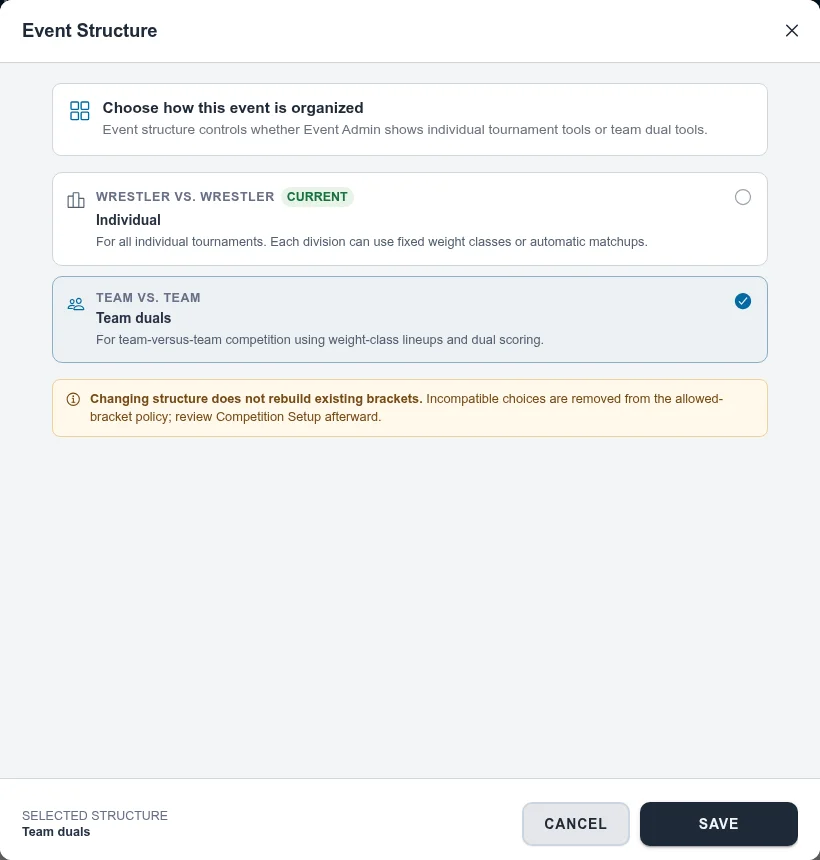
- Open Event Structure, choose Team duals, and save.
- Open Mats, then Manage Mats, and make sure there are enough. Each four-team pool runs two
duals at a time, so four pools need eight mats. To add mats, choose Add Mat(s) and type a
range like
7-8.
2. Set the weight classes and match lengths
Section titled “2. Set the weight classes and match lengths”Duals use the division’s weight classes as the default lineup.
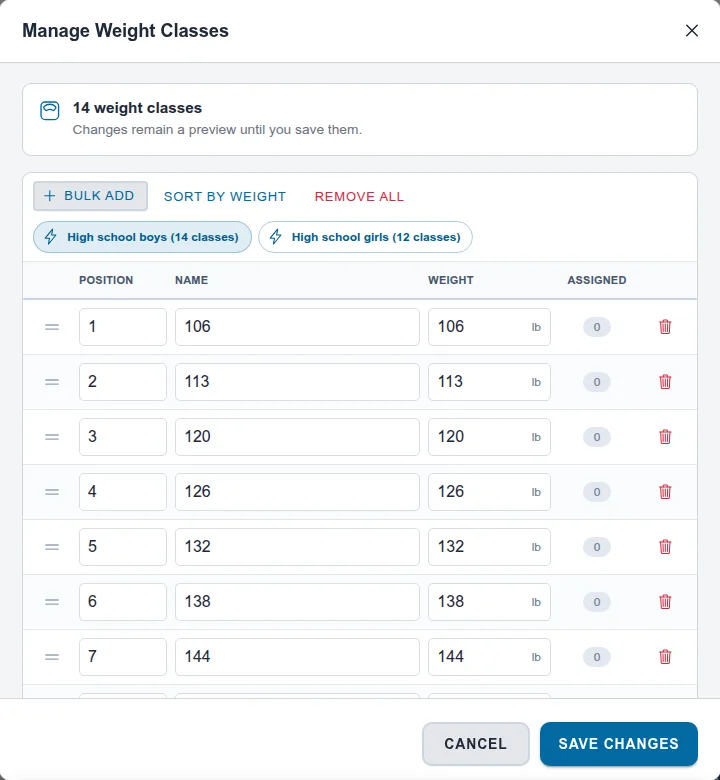
- On the Default division, open the ⋮ menu and choose Edit Division Settings, then Edit the weight classes.
- Choose Remove All first. The presets add to the list rather than replacing it, so skipping this leaves the youth weights mixed in.
- Choose High school boys (14 classes) (or girls), check the weights, then Save Changes and save the division.
- From the same menu, choose Edit Match Settings, use Quick fill: High School, check the period lengths and overtime, and choose Save Match Settings.
3. Bring in the team rosters
Section titled “3. Bring in the team rosters”Teams can send you lineups, you can share one spreadsheet, or coaches can manage their own rosters through team registration. This example uses one spreadsheet with a tab for each team:
- On Roster, choose Import Wrestlers and Download Template. The template has a tab per team with first name, last name, and weight class.
- Fill in one tab per team. The tab name becomes the team name.
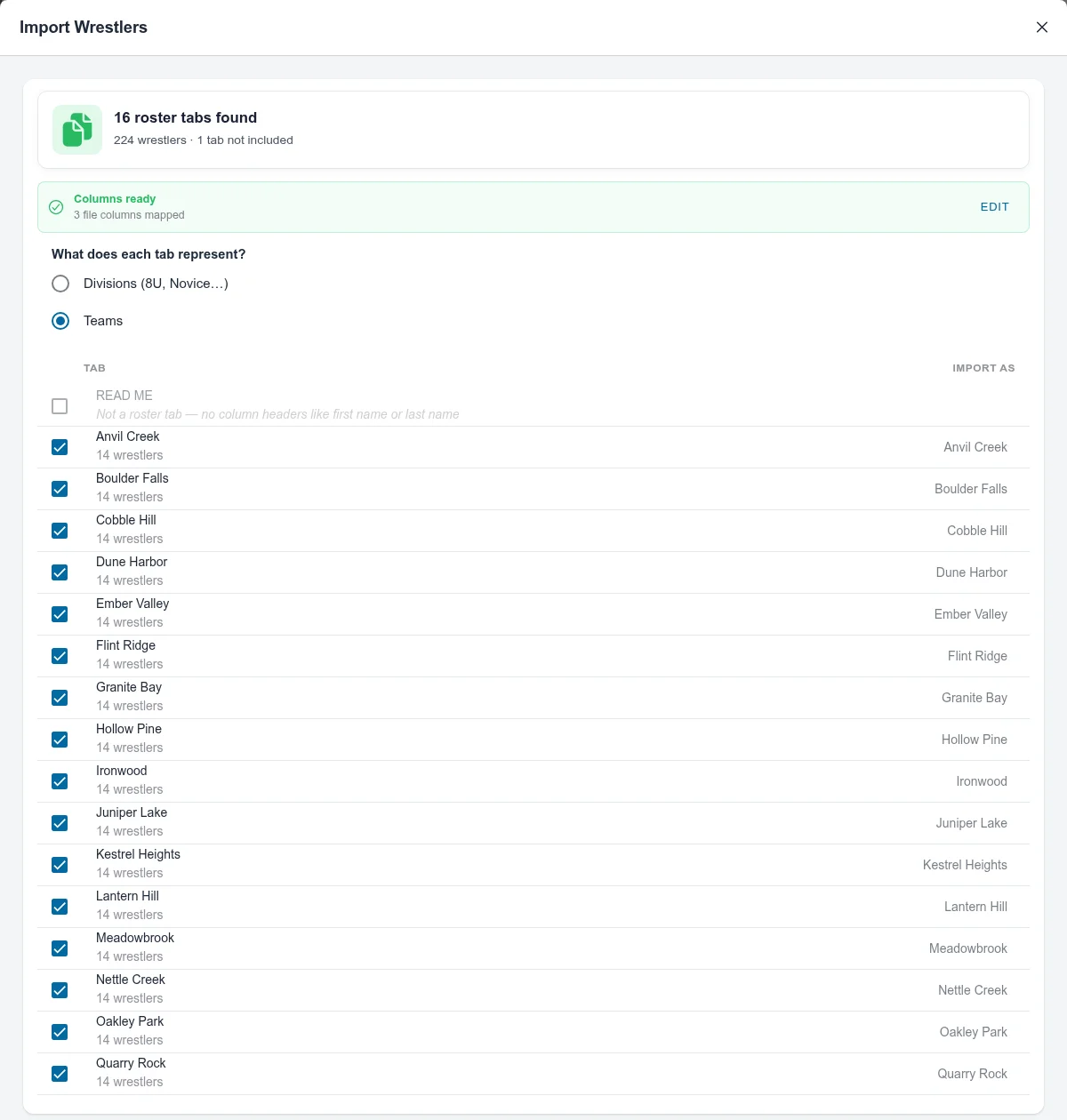
- Choose the file. Snapdown finds the roster tabs and asks What does each tab represent? Choose Teams.
- Choose Next, then approve the new teams (Approve All) and import.
See Import file format and templates for the columns.
4. Create the dual bracket and seed the pools
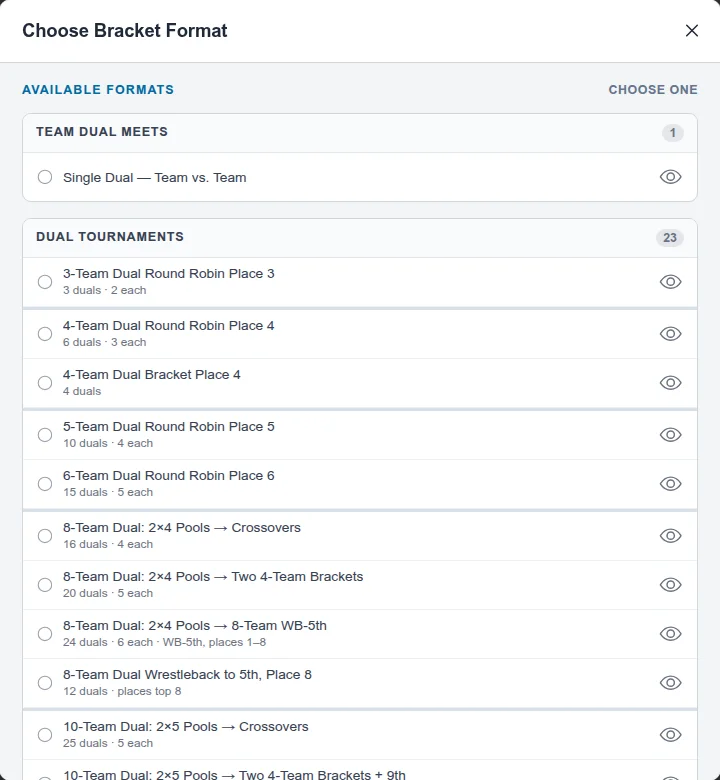
Section titled “4. Create the dual bracket and seed the pools”- On Brackets, choose Add Brackets, then Choose a format.
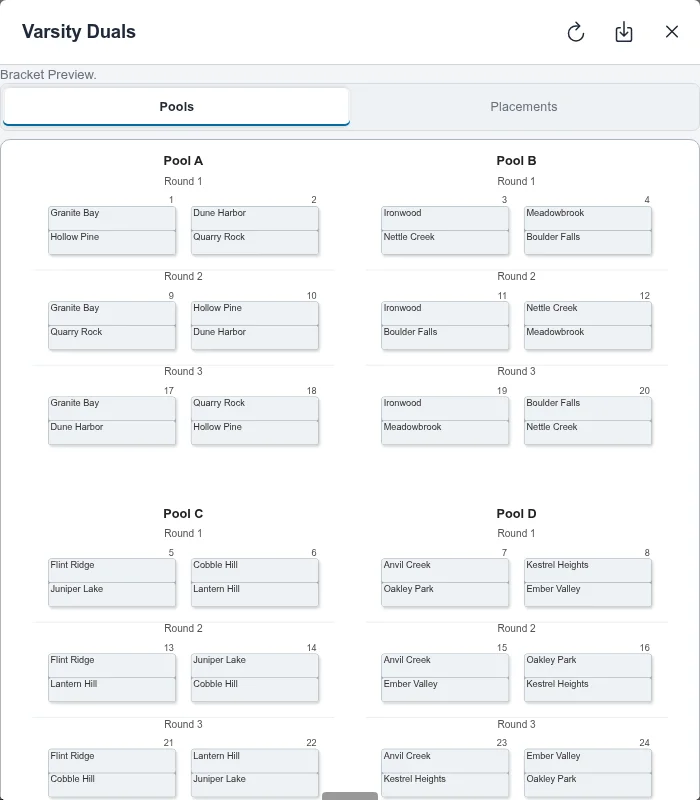
- Pick 16-Team Dual: 4×4 Pools → Four 4-Team Brackets (40 duals, 5 each). The eye icon previews the pools and the placement brackets: pool winners wrestle for 1st–4th, second-place teams for 5th–8th, and so on.
- Name it, check the weight classes, and choose Add Bracket.
- Turn on Edit, choose Choose Teams, select all 16, and save.
- Put the teams in seed order by dragging their cards. The list starts alphabetical, and the order you picked them in doesn’t count. Snapdown snakes the seeds into pools: Pool A gets seeds 1, 8, 9, 16; Pool B gets 2, 7, 10, 15; and so on.
- Choose Preview bracket to check who wrestles whom in each round.
5. Plan the mats with Schedule dual brackets
Section titled “5. Plan the mats with Schedule dual brackets”Dual tournaments need Director-Managed Scheduling. On Match Publishing, the notice “Director-Managed Scheduling required” has a Switch to Director Managed button. Choose it, then Switch.
Then choose Schedule dual brackets:
- Brackets: select your tournament. It shows 40 duals and 8 suggested mats.
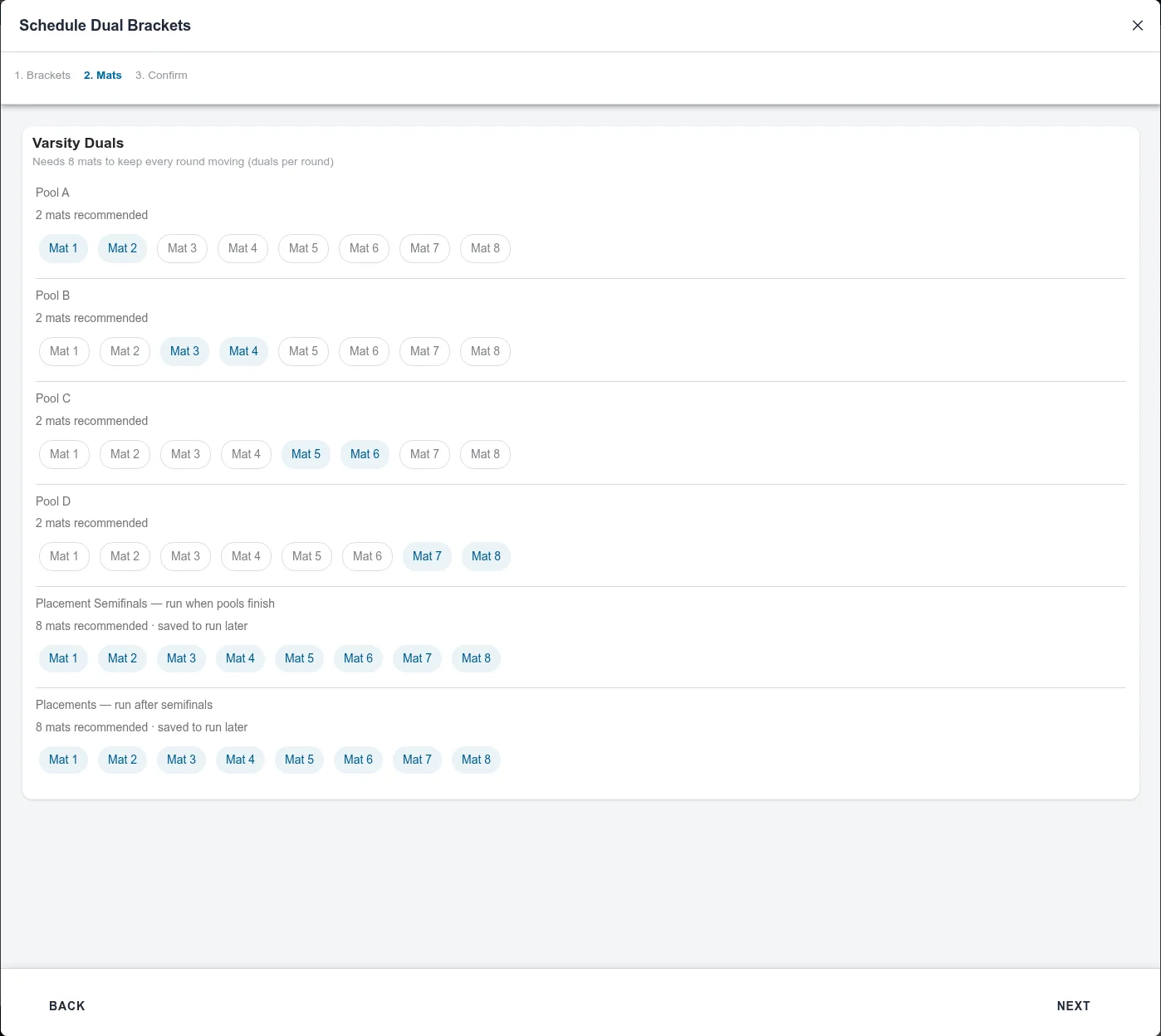
- Mats: choose mats for each pool and each placement wave. Snapdown recommends two per pool and all eight for each placement wave, but doesn’t pick them for you. Give Pool A Mats 1–2, Pool B 3–4, Pool C 5–6, Pool D 7–8, and all eight for Placement Semifinals and Placements.
- On Review, choose Build & save plan. This builds all 40 duals and prepares their queues. If they are already built, choose Save plan. Run loads the mats later.
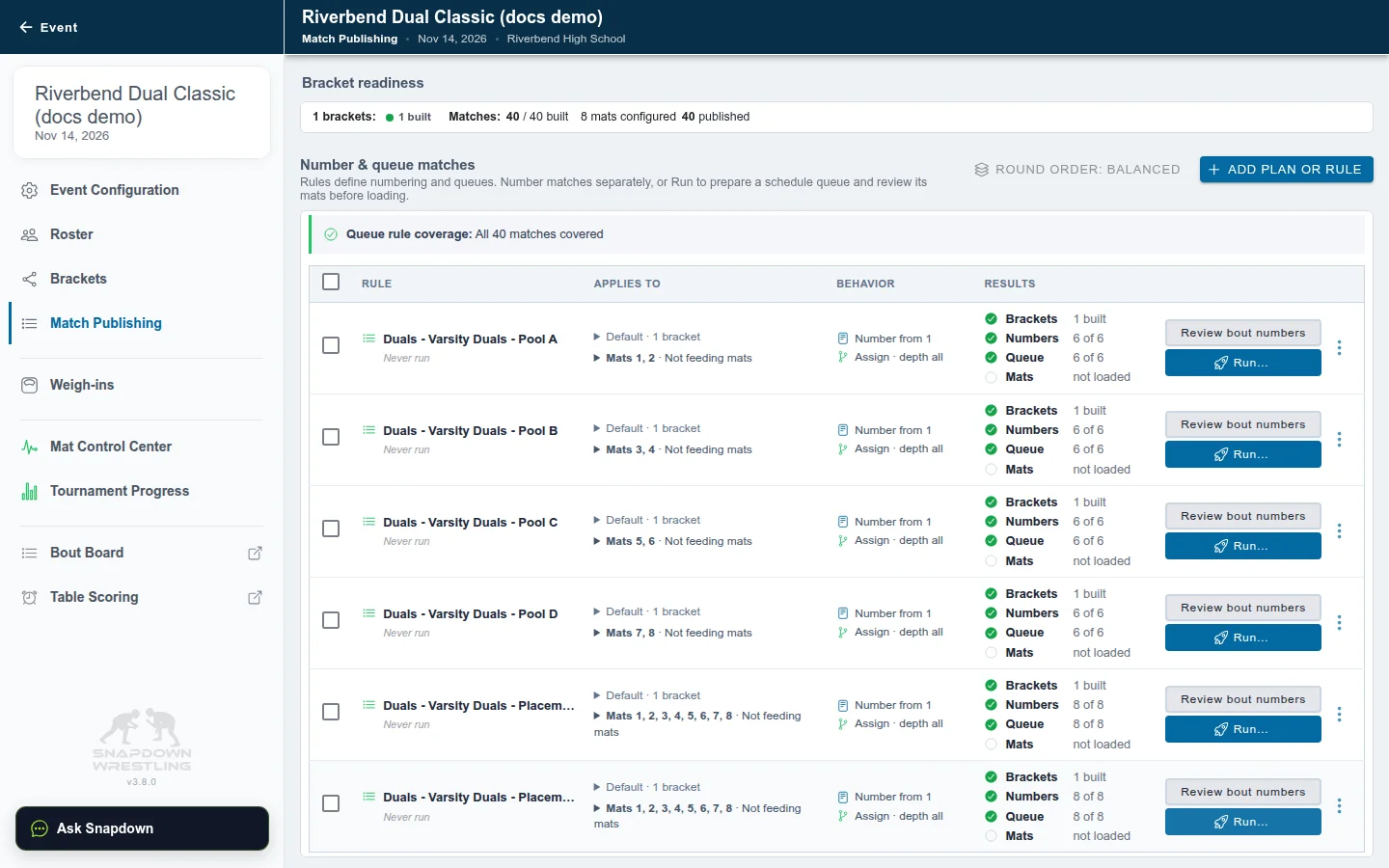
Match Publishing now shows a plan with six rules: one per pool, plus Placement Semifinals and Placements. Duals are numbered 1–40 across the tournament, and the weight bouts inside dual 1 are 1.1, 1.2, and so on.
6. Start the pools
Section titled “6. Start the pools”- Tick the four pool rules (not the placements).
- Choose Run selected….
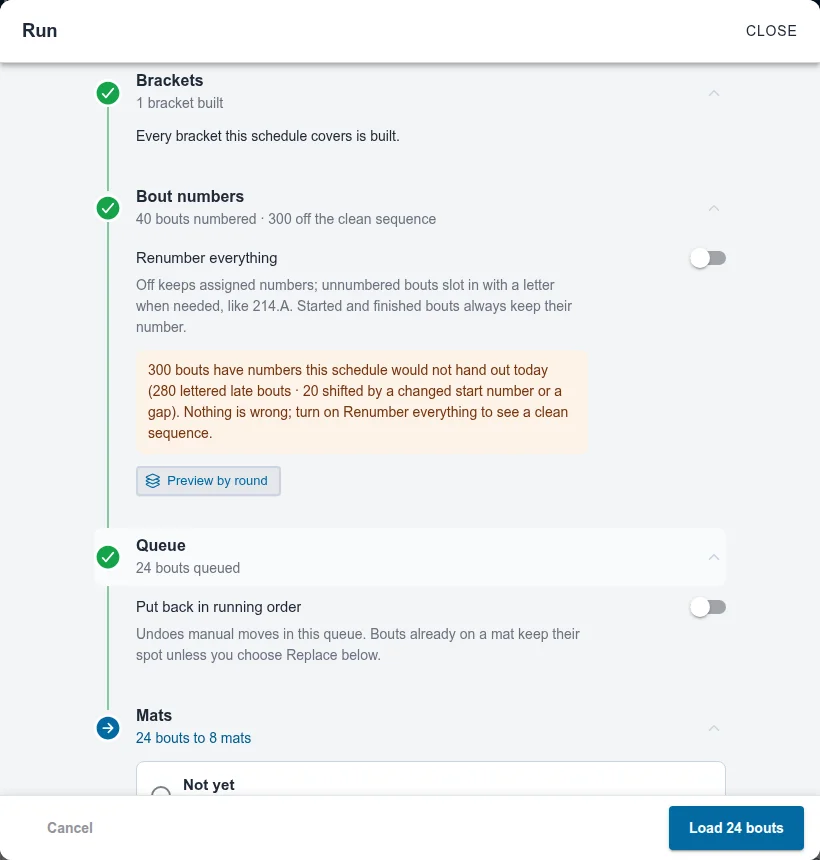
- On the Mats step, leave Keep what’s waiting; add new bouts selected.
- Choose Load N bouts.
Each pool’s duals load onto its two mats. Open Mat Control Center to watch them.
7. Score duals at the table
Section titled “7. Score duals at the table”At each table, open Table Scoring and choose the mat. The next dual is at the top.
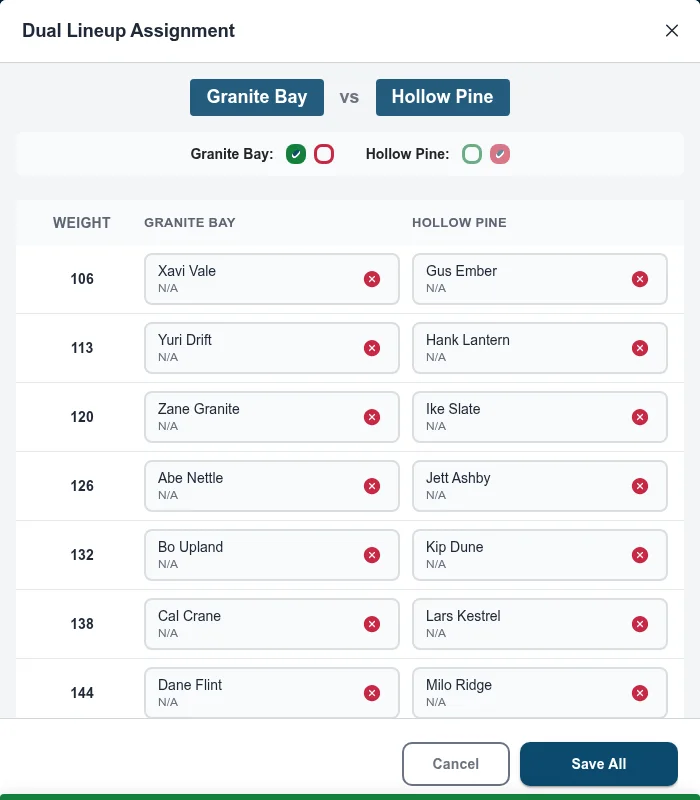
- Set the lineup. Choose Edit Lineup on the dual header to fill every weight at once. Auto fills it from the rosters; adjust anyone who changed, then Save All. You can also tap a single bout and pick its two wrestlers. Leave a side empty to record a forfeit.
- Start the bout and score it as usual.
- Choose Review & Complete Match, pick the winner and how the match was won, and choose Complete Match.
The team score on the dual header updates after every bout, and the dual finishes when its last bout is done. If the remaining bouts won’t be wrestled, use Close Out on the dual header.
See Score matches at a table for scoring controls.
8. Run the placement rounds
Section titled “8. Run the placement rounds”When every pool dual is finished, the placement semifinals already know their teams: the Pool A winner meets the Pool B winner, C meets D, and so on for every place.
- Choose Run… on Placement Semifinals and load the mats.
- When the semifinals finish, do the same for Placements.
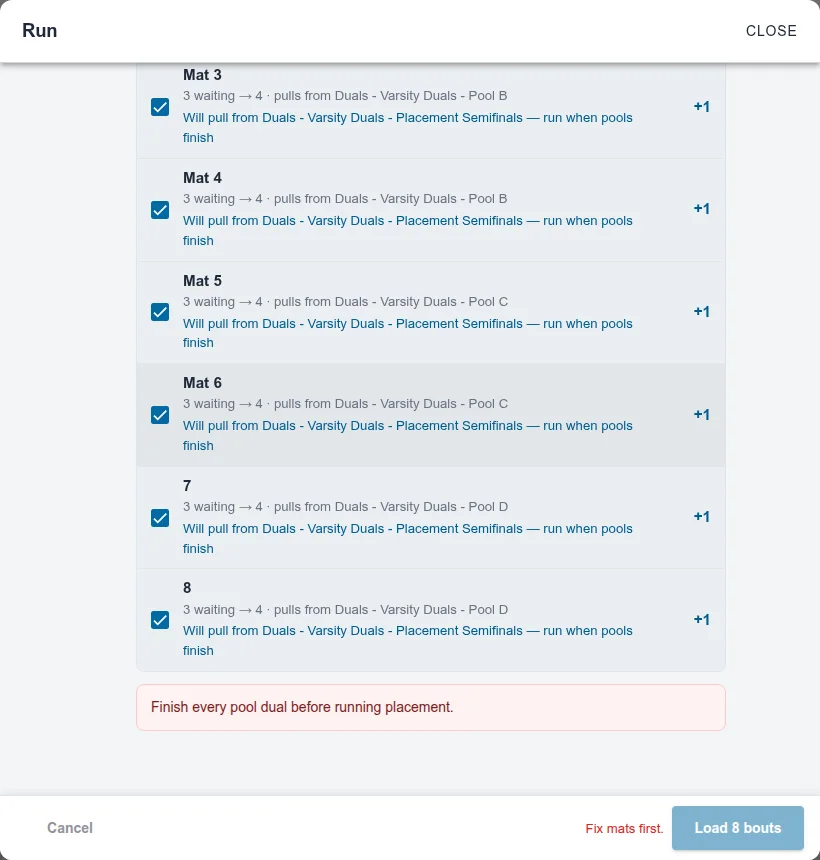
If you run a placement rule too early, Run stops with “Finish every pool dual before running placement.” and won’t load anything. Just wait for the pools to finish.
9. Results
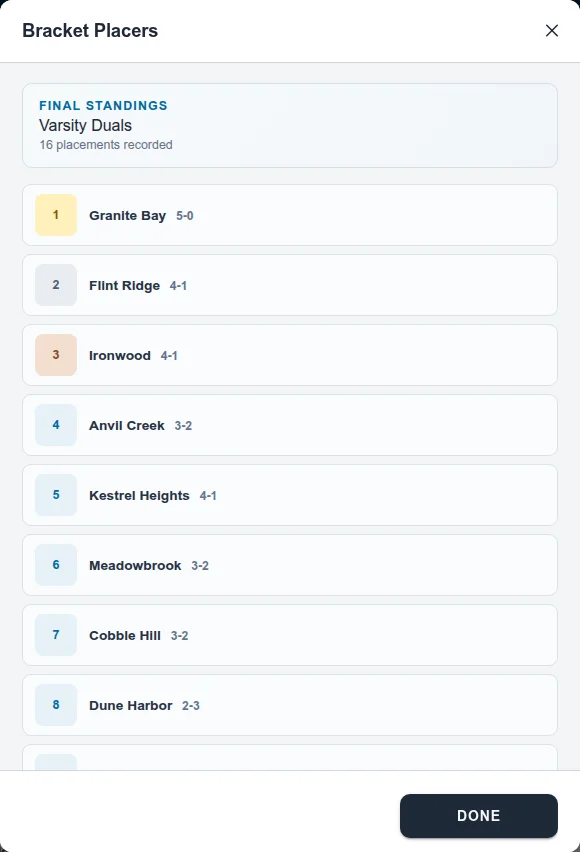
Section titled “9. Results”On Tournament Progress, the tournament shows as complete. Its ⋮ menu has Placers (1st through 16th), Standings with each team’s record and tiebreakers, and View Bracket for the pools and placements.
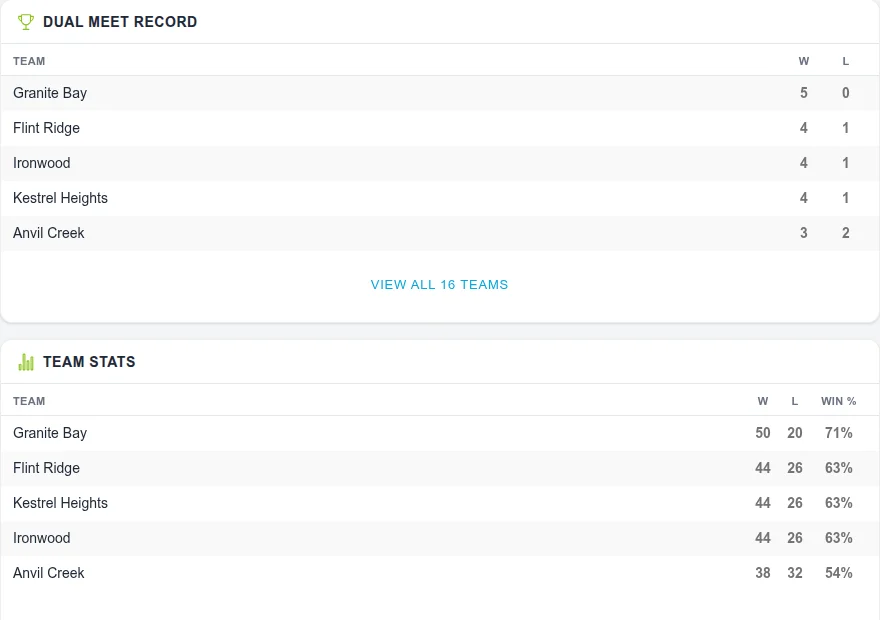
Fans see the same event on its public page: the Dual Meet Record for every team, Team Stats (tap a team for each wrestler’s results), tournament stats like fastest pin and most pins, and every dual’s score on the schedule under Completed.
Related
Section titled “Related”- Build a single dual or dual tournament for other dual formats and one-mat duals.
- Round robin tiebreakers for tied pools.
- Bracket formats and wrestleback crossover rules for every dual-tournament format.
Also covers: build & save schedule · pool schedules