


Open Mat Control Center, go to the live mat queues, and choose Add Exhibition.
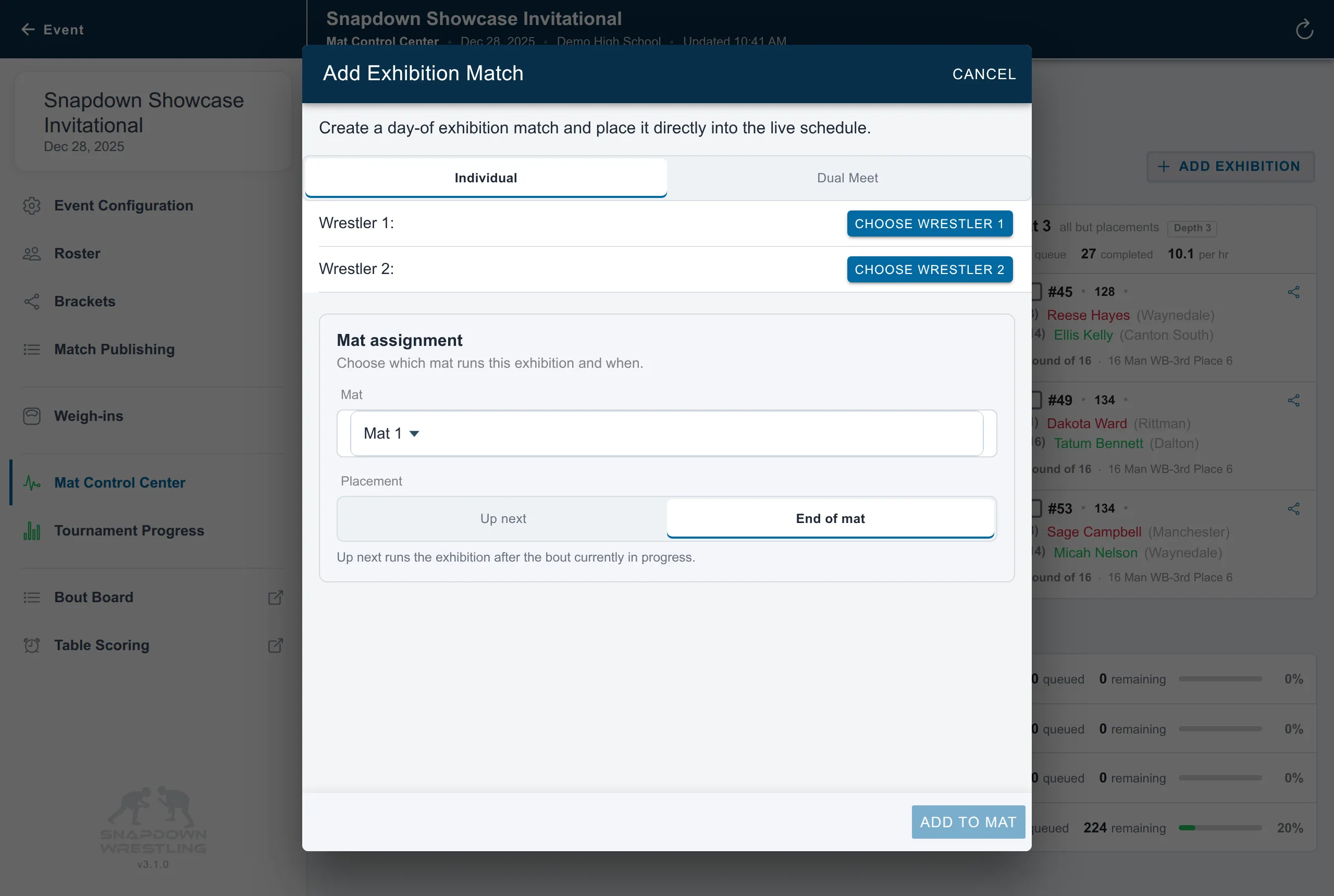
Individual exhibition
- Keep Individual selected.
- Choose both wrestlers.
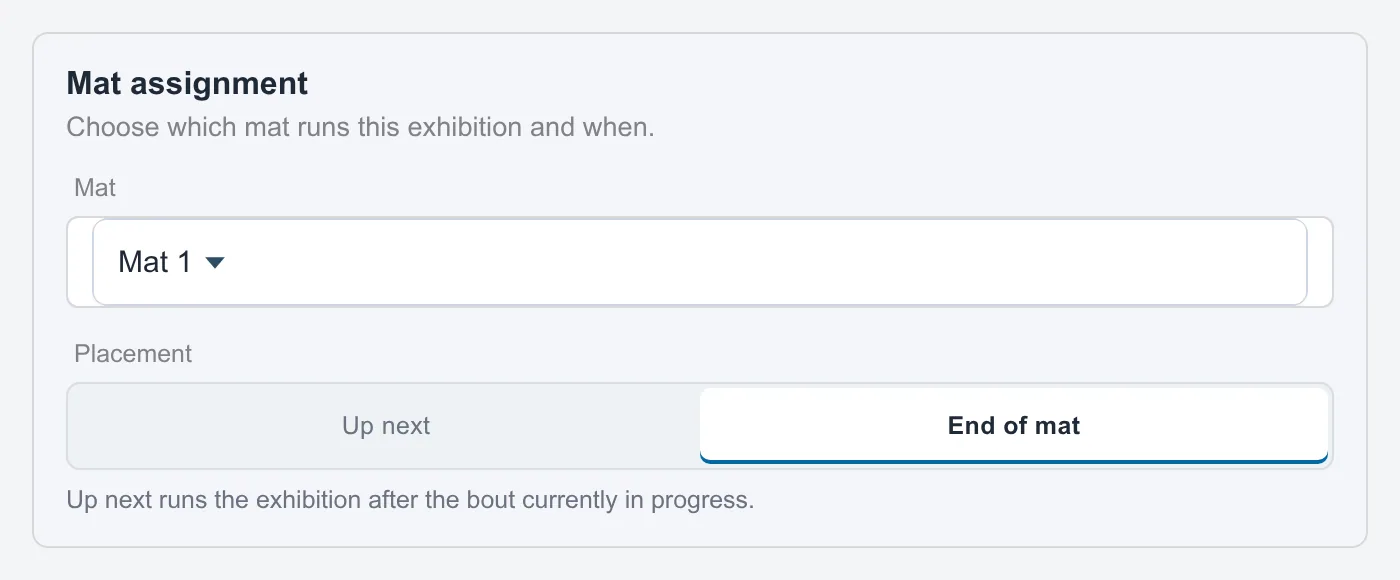
- Select the mat.
- Choose Up next or End of mat.
- Choose Add to mat.
Up next runs after the bout currently in progress. End of mat preserves everything already waiting in that mat’s queue.
Exhibition dual
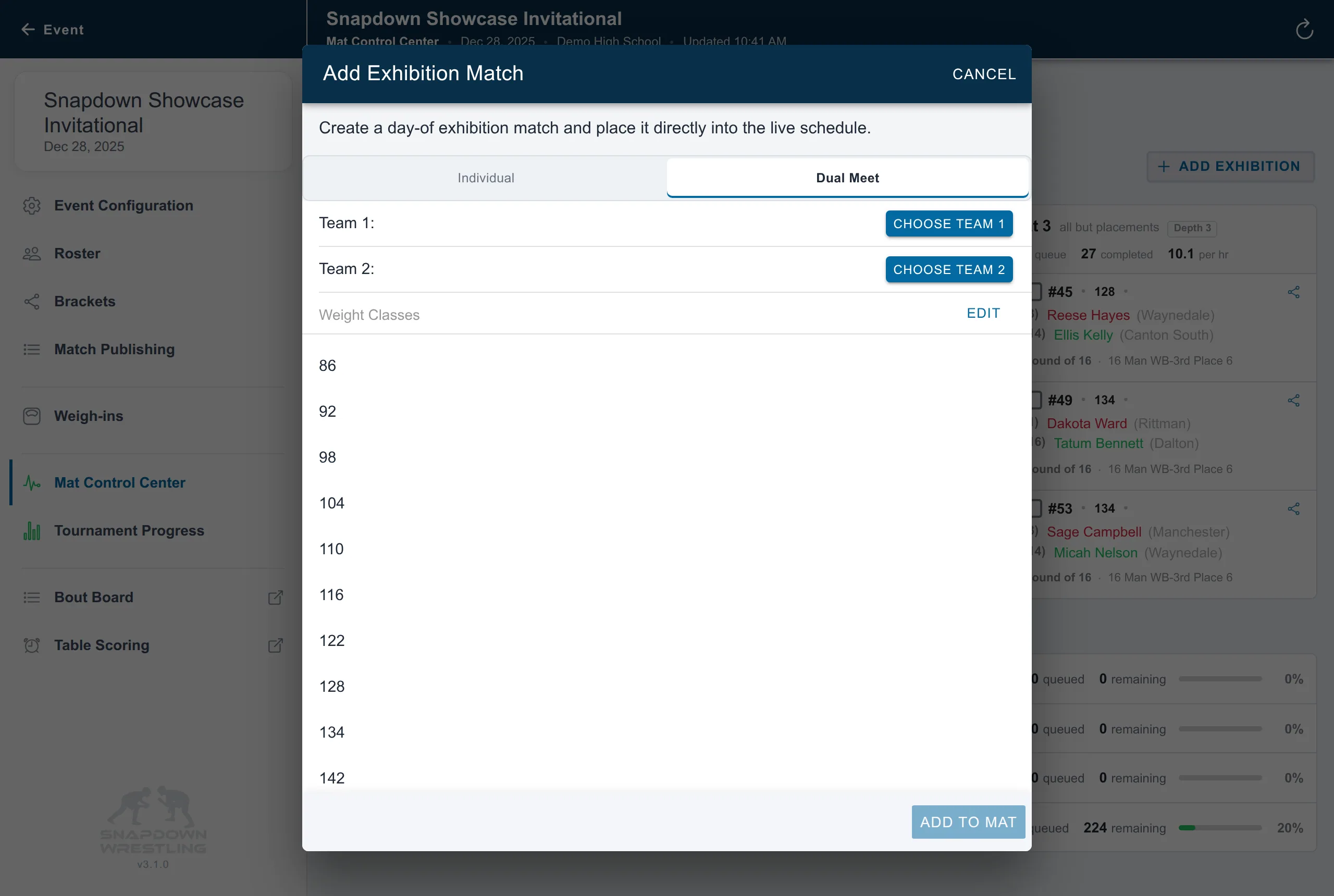
- Select Dual Meet.
- Choose both teams.
- Review or edit the weight classes.
- Select the mat and queue placement, then choose Add to mat.
- Open the new dual and use Edit Lineup to assign its individual wrestlers.
The exhibition is added directly to the chosen mat; it does not require rebuilding the event’s published brackets. Exhibition results remain part of the event record and exports. For duals, confirm which lineup wrestlers are marked scoring or non-scoring before wrestling so official team points follow your intent.