


The tour
One tournament, start to finish.
Follow the work from your roster spreadsheet to the final results. These are the screens your staff will use. Select a screenshot to take a closer look.
The roster
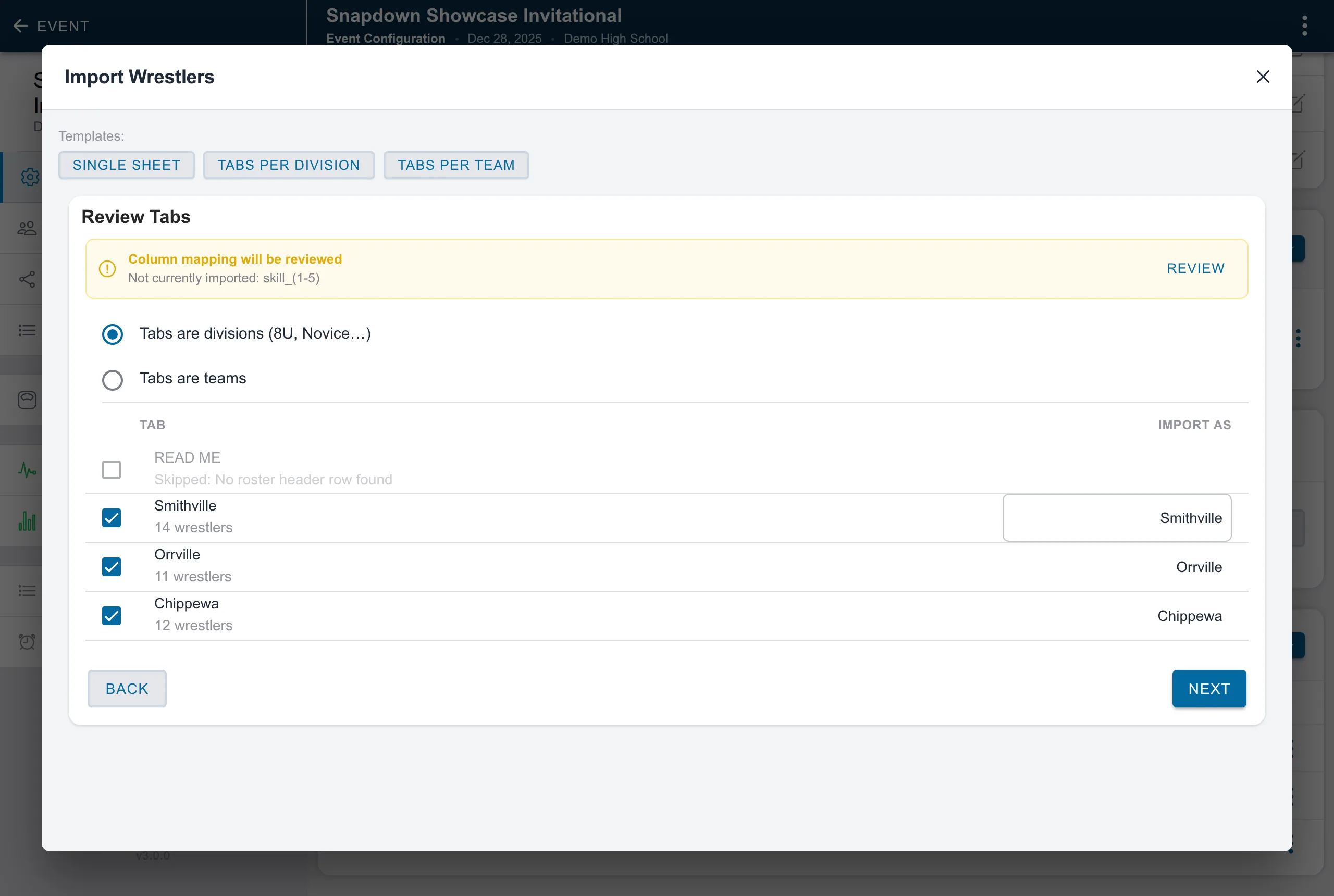
Import the roster you already have.
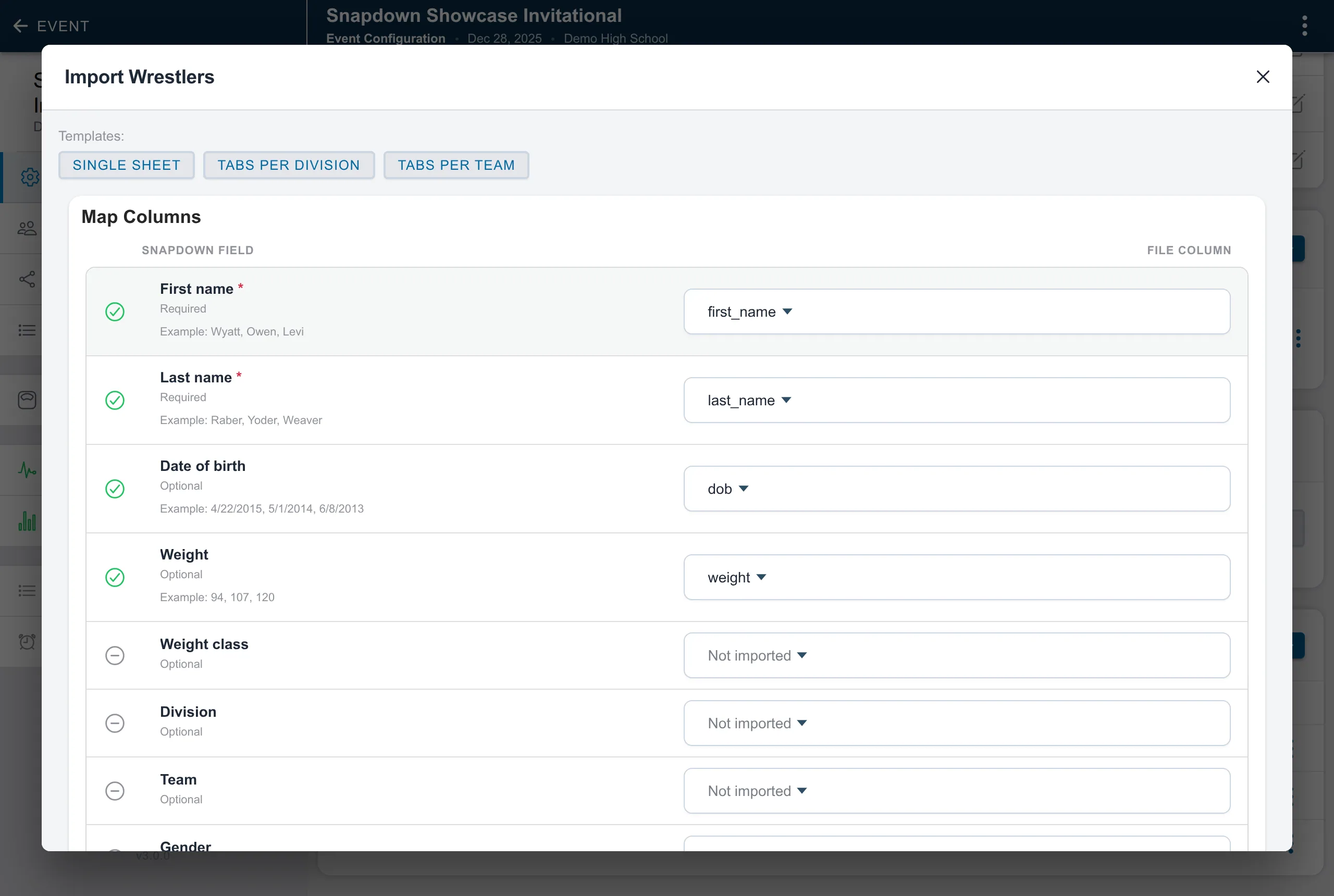
Send the spreadsheet you have. Snapdown reads the workbook, works out which columns are names, weights, teams, and ages, and skips rows that are not wrestlers. You confirm the mapping before any wrestler is created.
Divisions
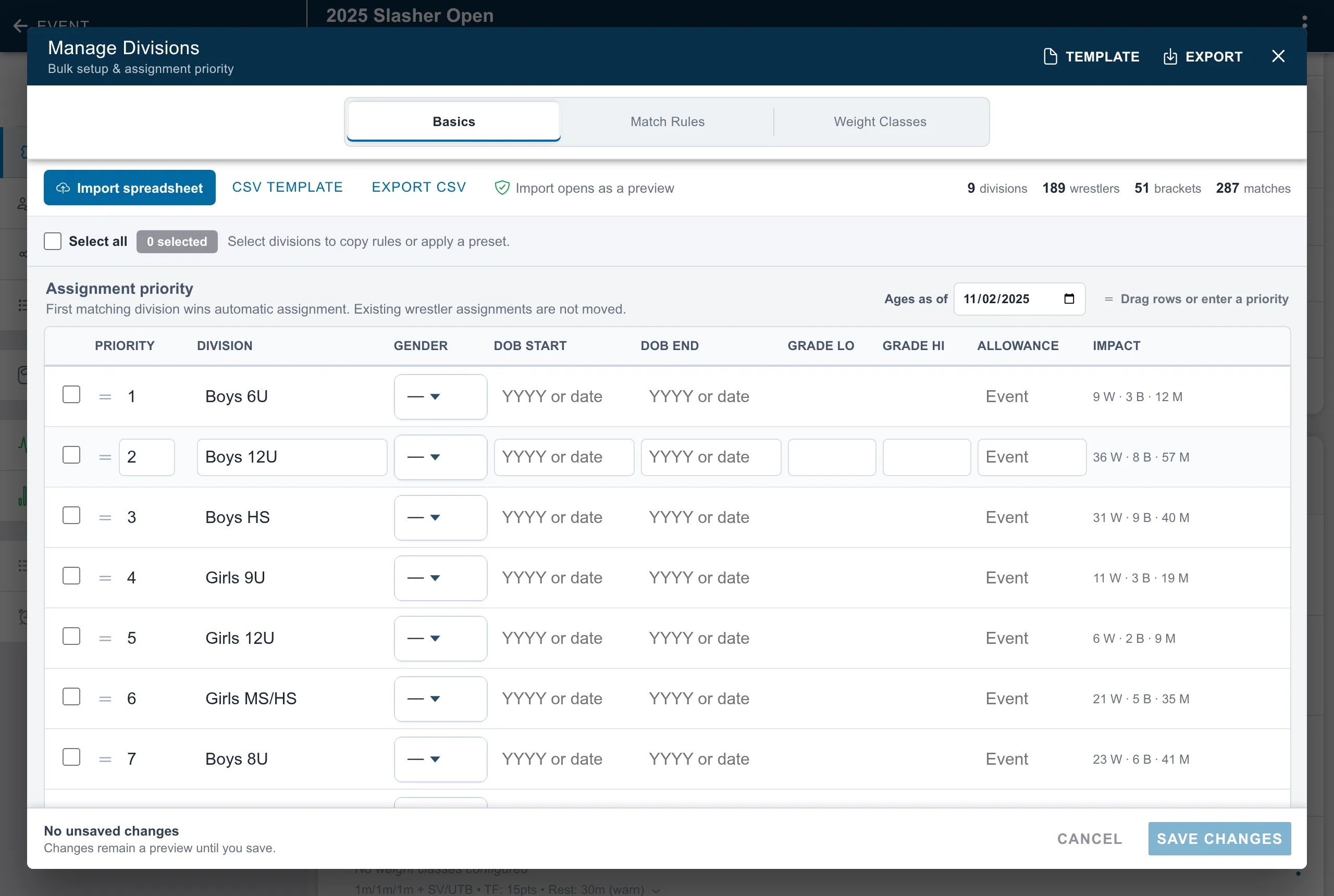
Every division on one screen.
Assignment priority, age windows, grades, and weight classes, with live counts of the wrestlers, brackets, and matches each change touches.
Weigh-ins
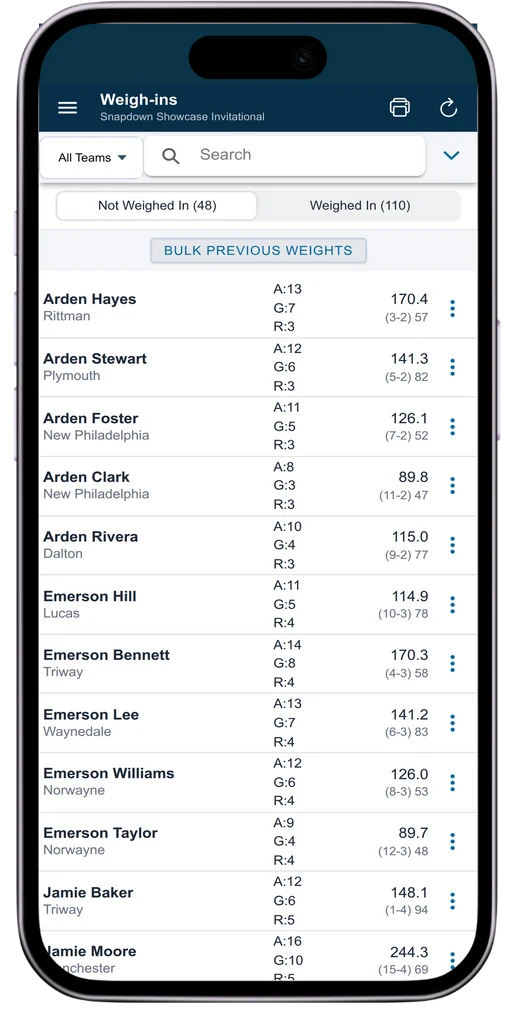
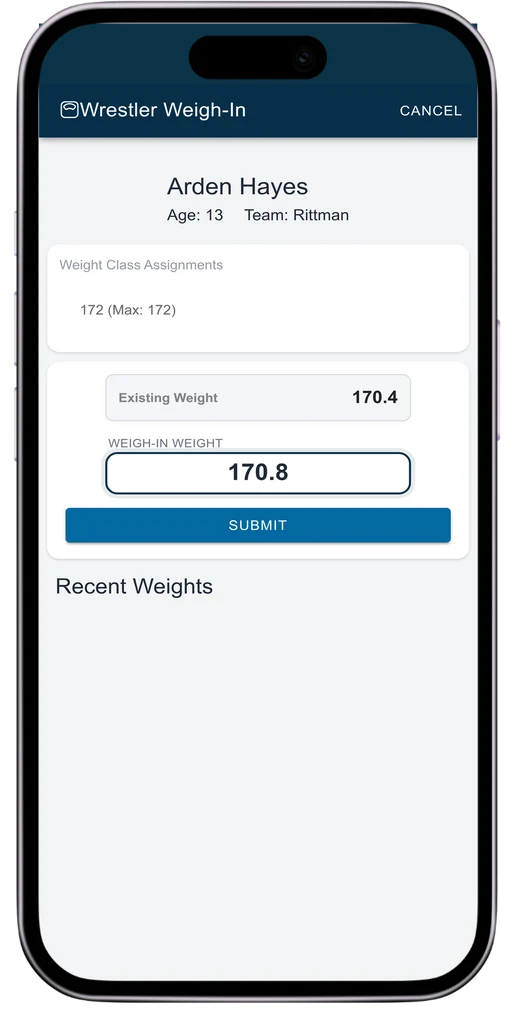
Weigh-ins on a phone at the scale.
Tap the wrestler, type the weight. The app shows the weight class cap and flags anything over.
Brackets
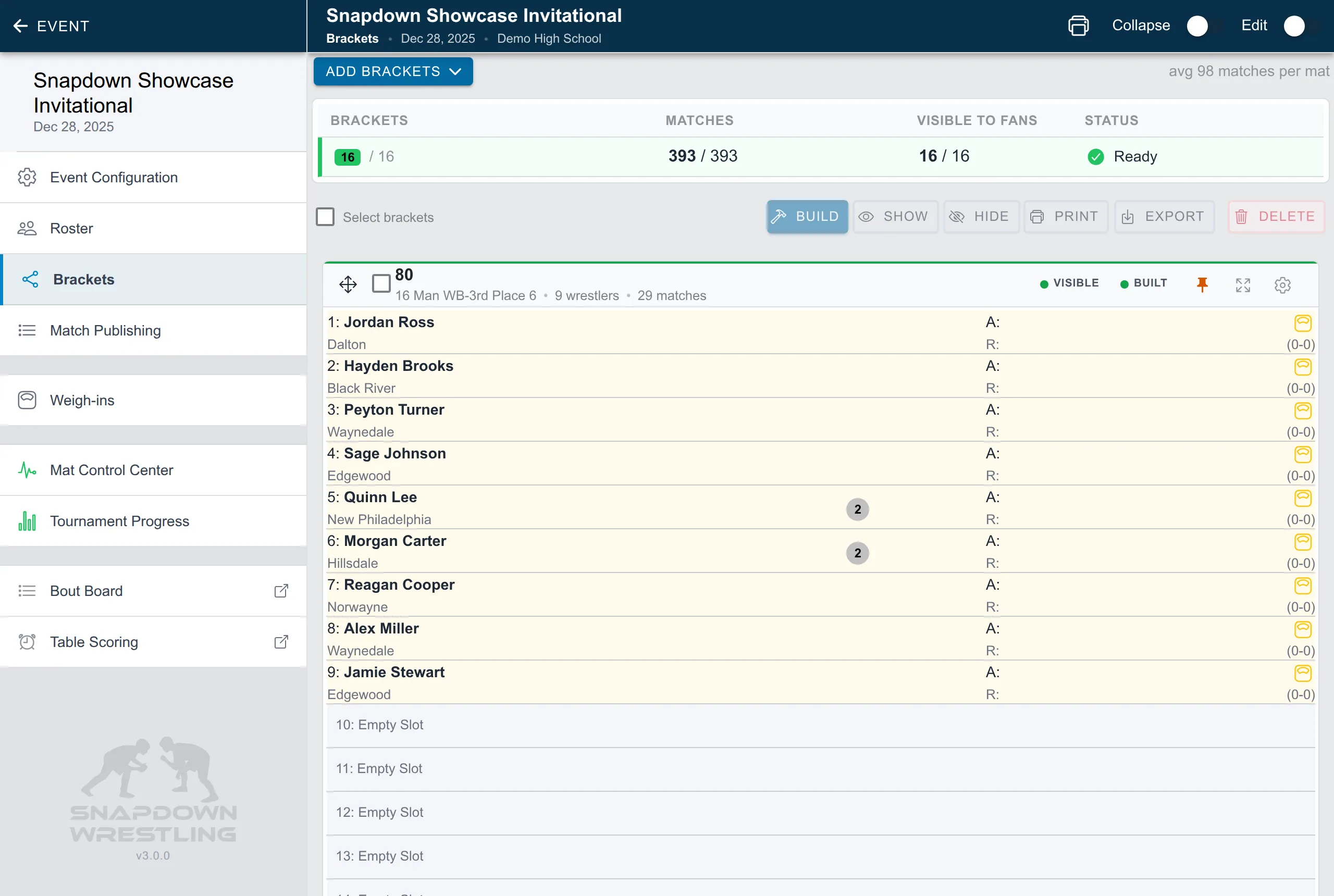
Brackets built from the weights you just took.
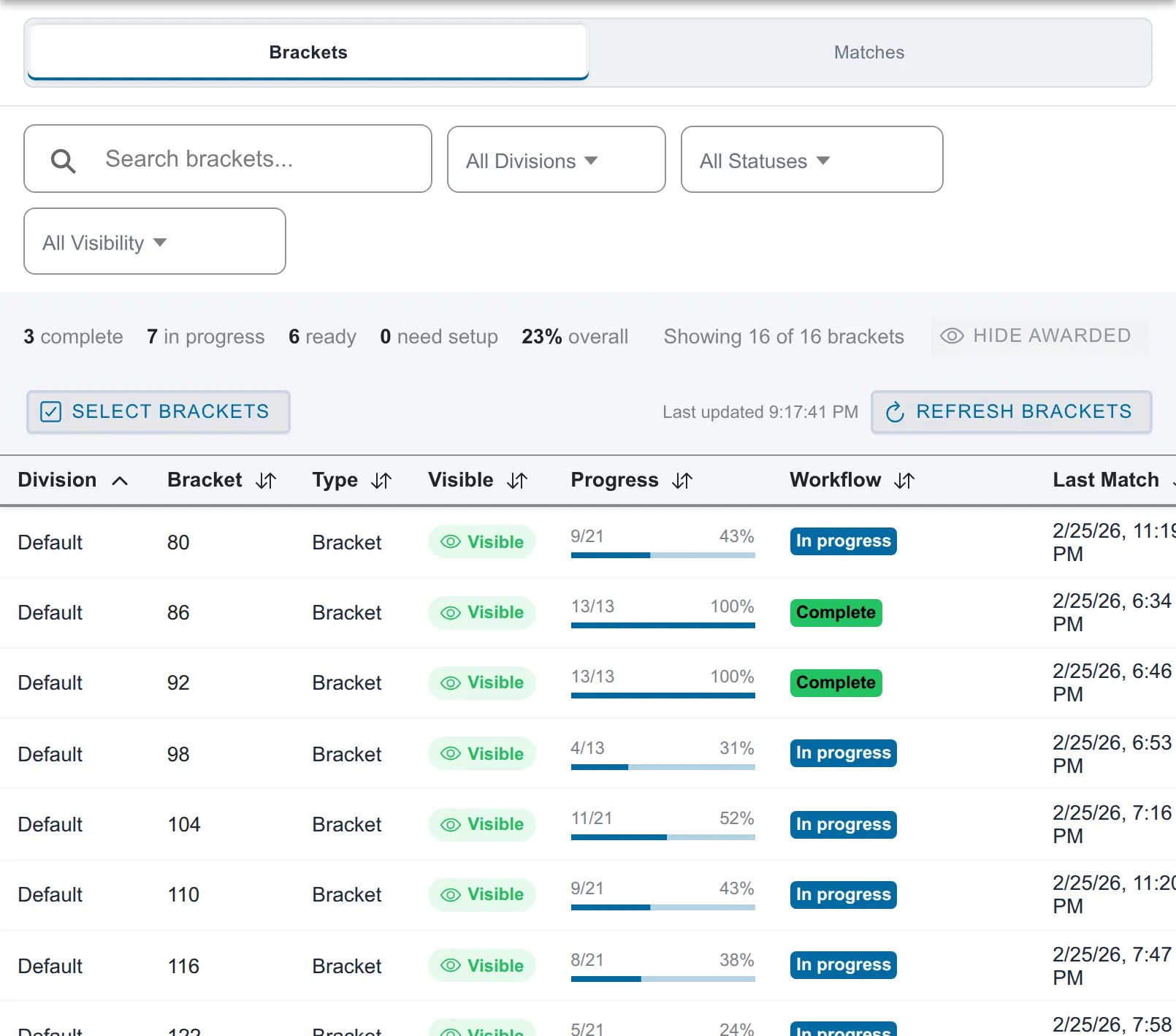
Brackets from 4 to 64, round robins, and pools, built, reviewed, and published from the same screen. When a wrestler does not show, you fix that bracket instead of rebuilding the event.
First whistle
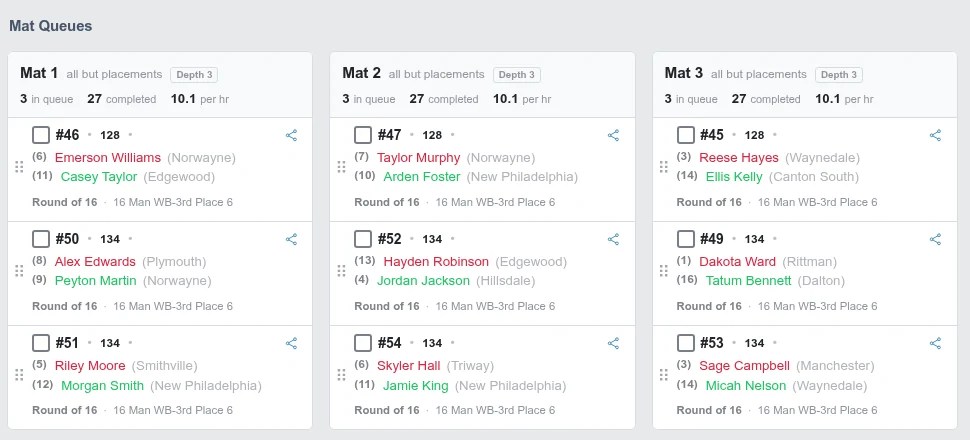
Every mat on one screen.
Upcoming matches stay balanced across mats, rest rules are enforced automatically, and pace shows in matches per hour so you see a bottleneck before it becomes an announcement.
Scoring
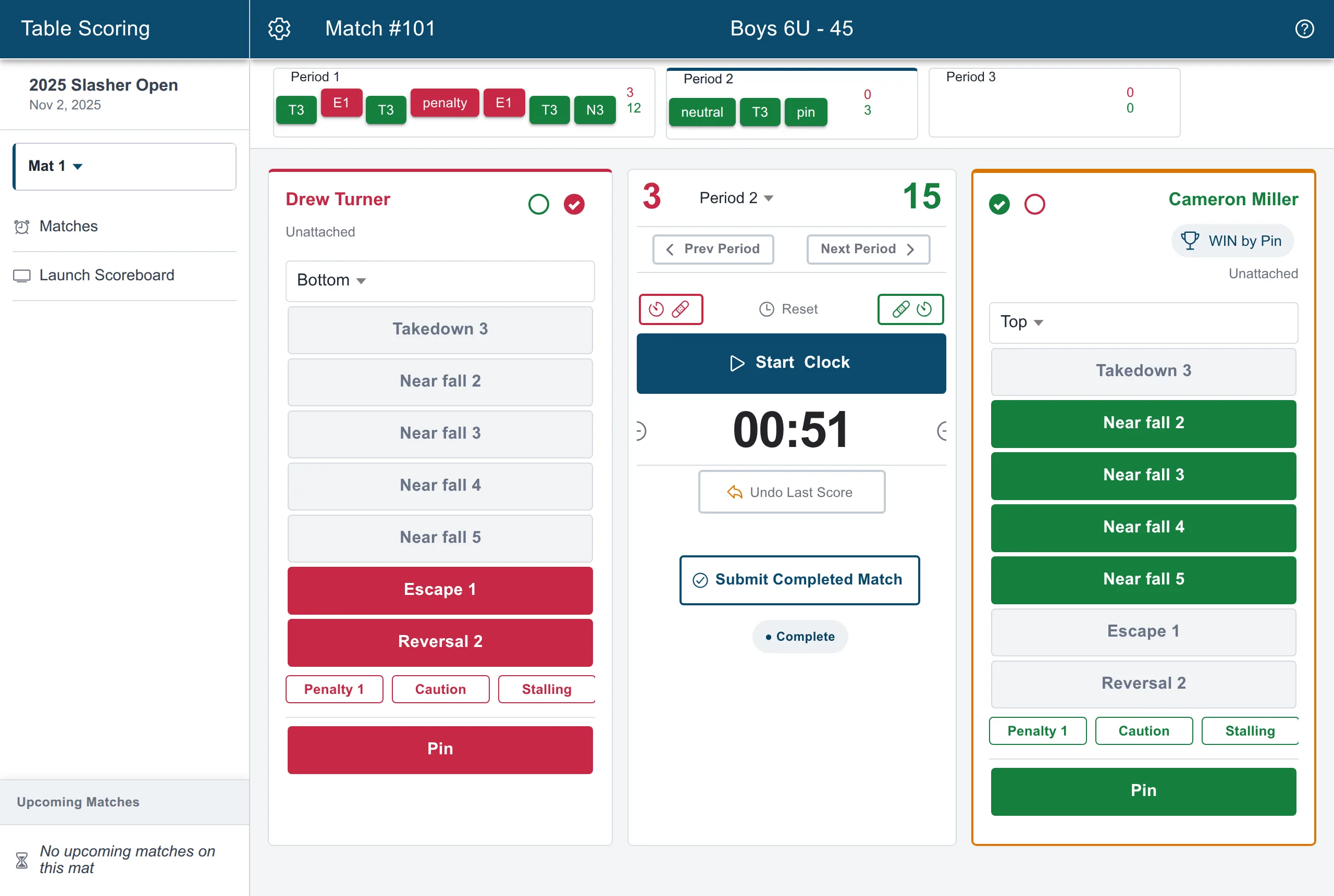
The table scores it.
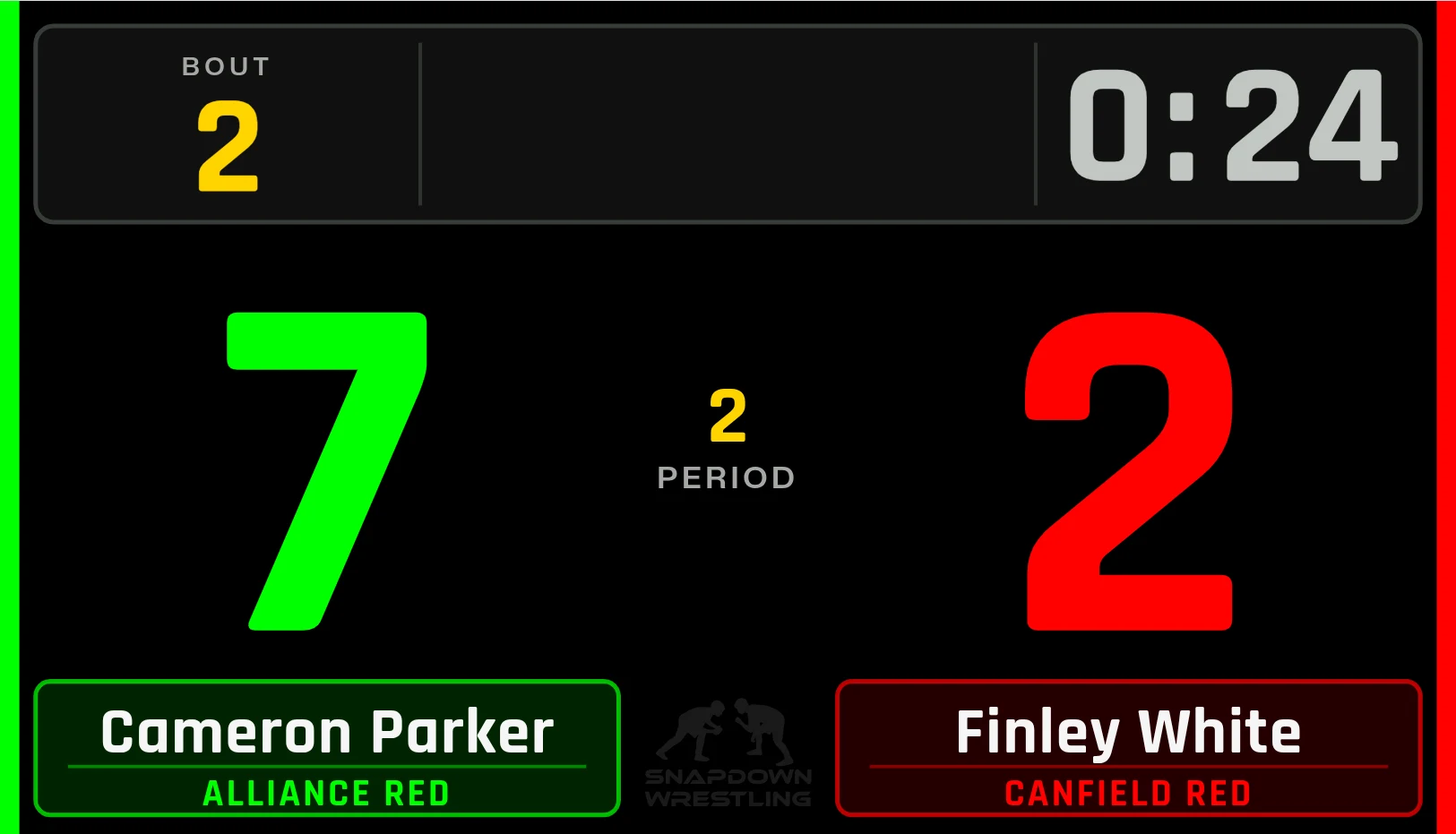
Volunteers score on big buttons with an undo and a clock. The crowd scoreboard and the bout board update in the gym, and PRO followers see the score move on their phones as it is entered.
The stands
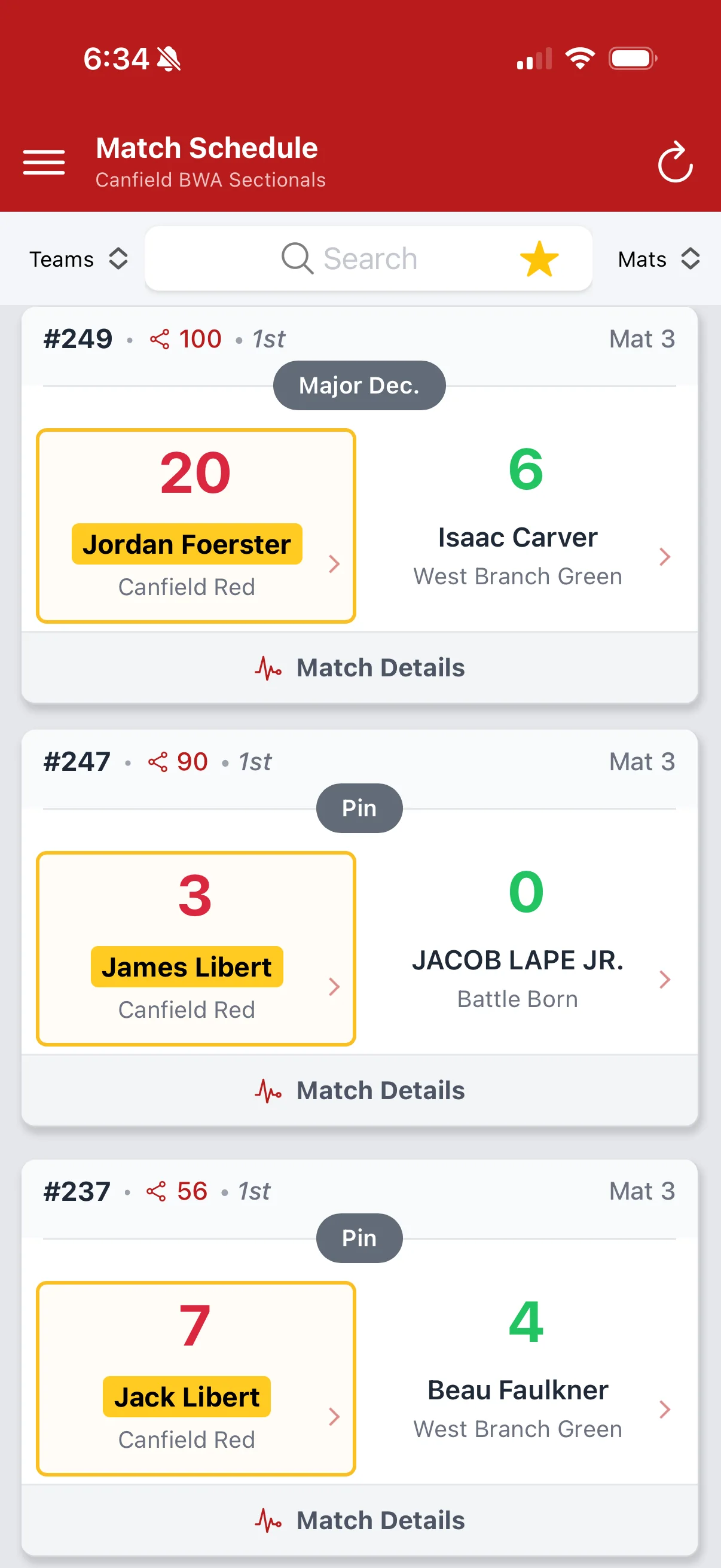
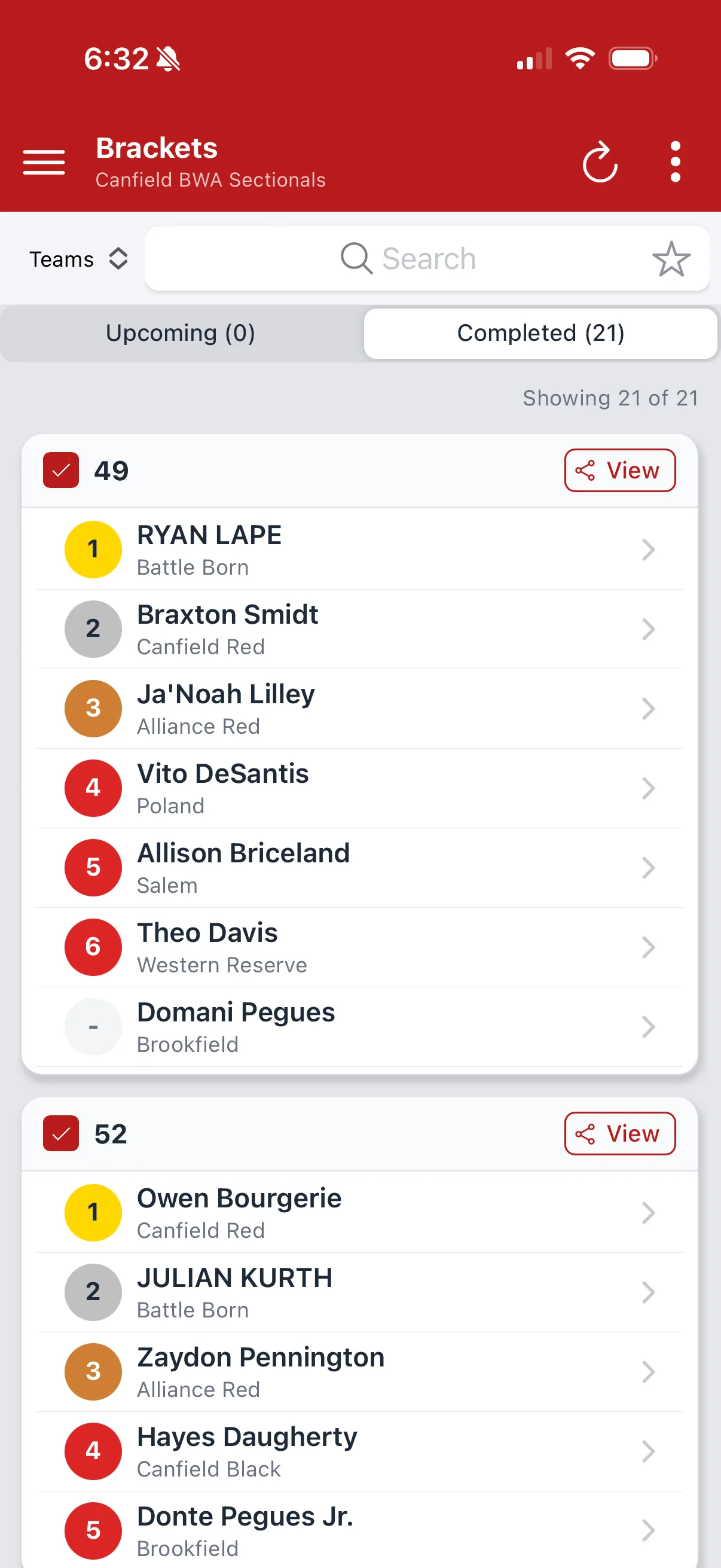
Parents follow on their phone.
Mat assignment, how many matches until they go, the bracket, and the result. Included at your event, with no ads. Live scoring and alerts are a Snapdown PRO subscription.

Team scores
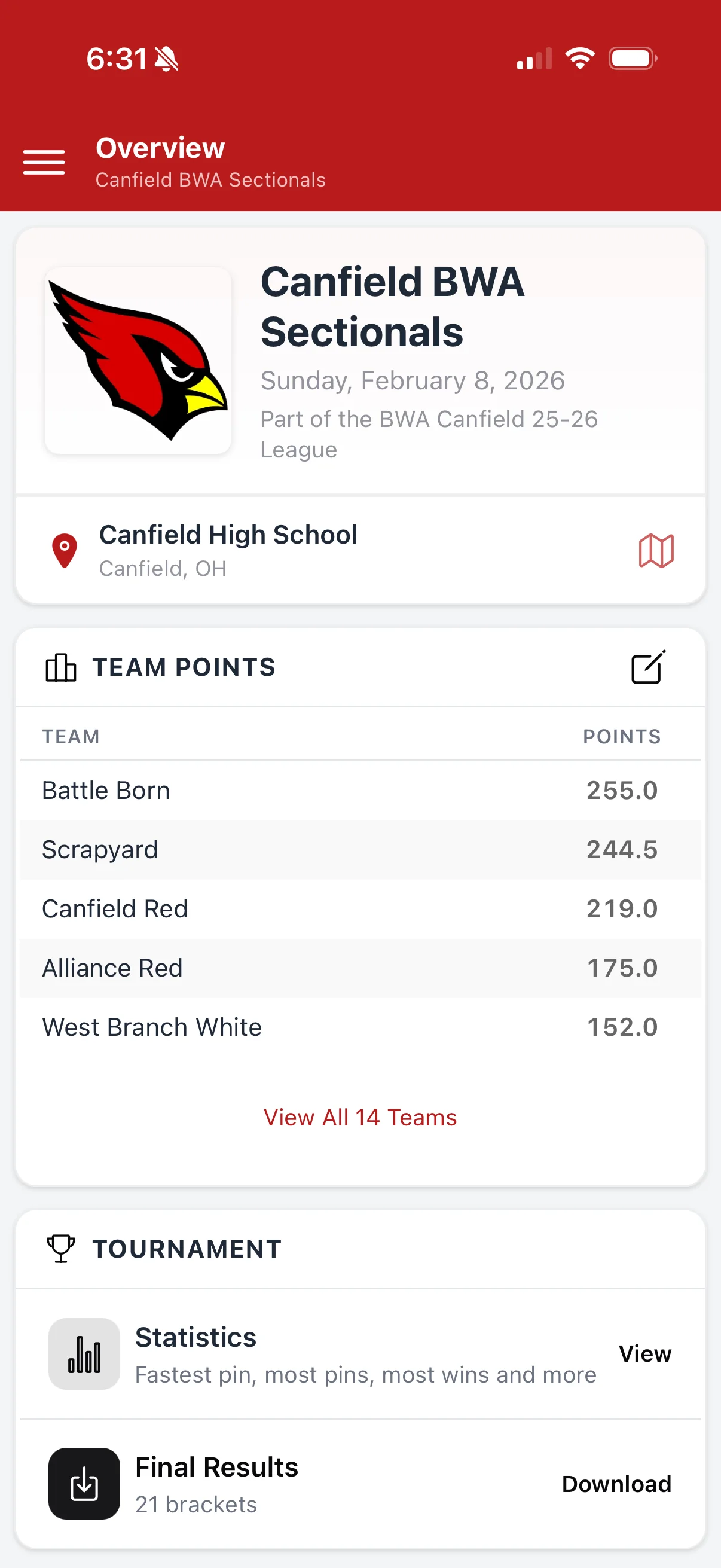
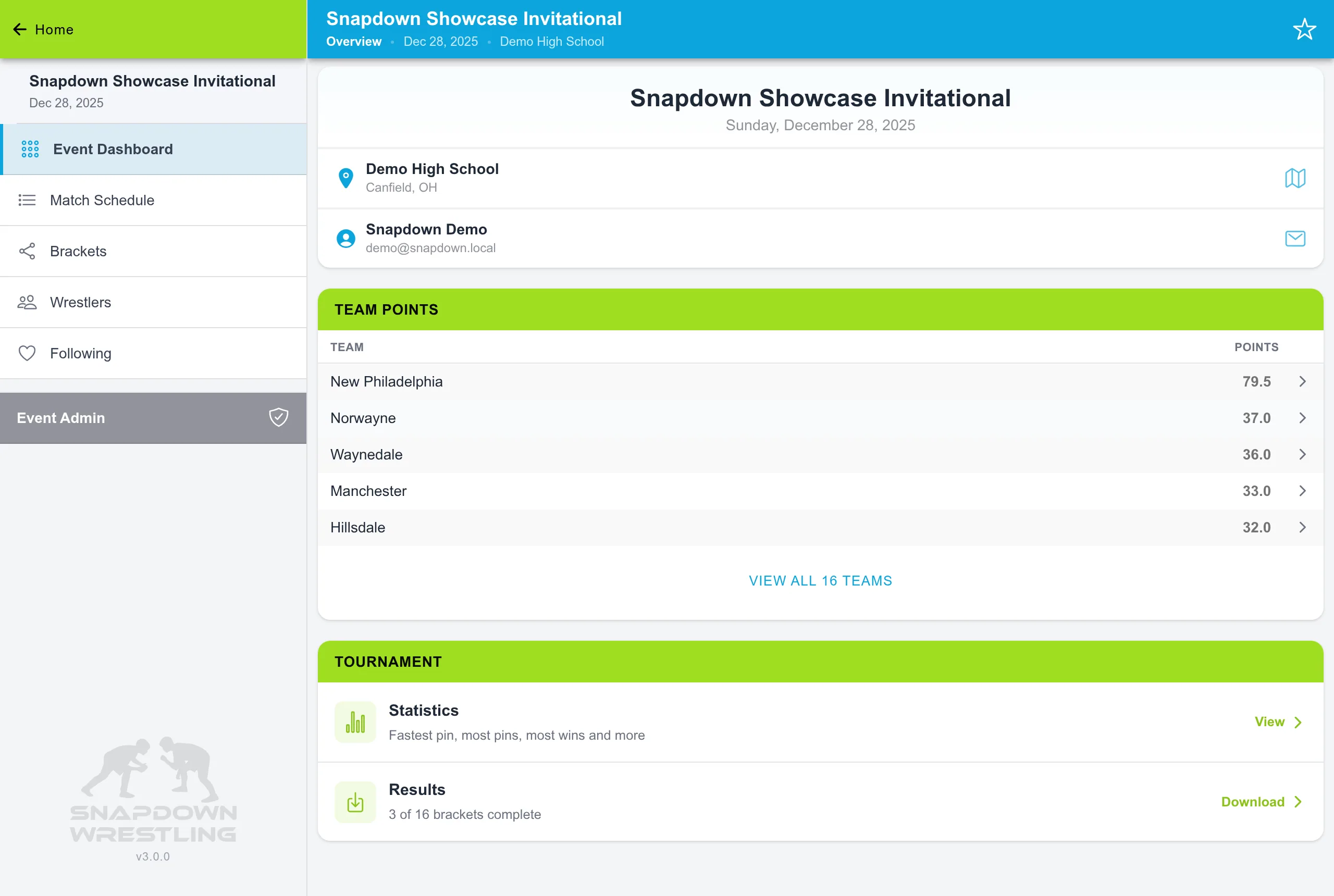
Team scores, with the points behind them.
Tap any team total and see which wrestler earned which points.

Results
Results exported as one workbook.
Placements, team standings, and every match wrestled in one formatted Excel workbook, emailed from the app.
Run your next tournament like this.
Create your next event yourself in a few minutes, or tell us how you run wrestling and we'll walk through it with you.
Walkthrough and practice event included.